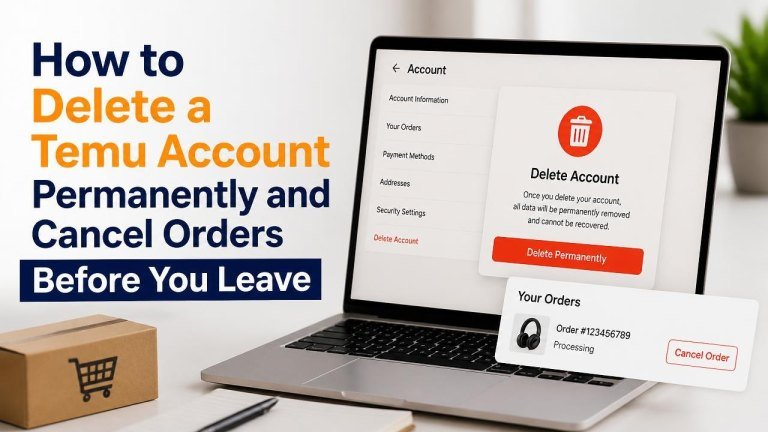
Before deleting your Temu account, take a few minutes to review pending orders, returns, and payouts, refunds, credits, and saved payment methods. Once the account is closed, accessing order records or contacting support may be more difficult.
What to Do Before Deleting Your Temu Account
Start by checking your open orders, pending refunds, and return requests. Save any information you may need later, such as order numbers, invoices, tracking details, or support conversations.
- Confirm that recent orders have been delivered or canceled.
- Complete any return or refund process that is still in progress.
- Use or review available account credits, coupons, or promotional balances.
- Remove saved payment cards and review your shipping addresses.
- Download or screenshot important order and transaction details.
If you have an unresolved problem, contact Temu support before closing the account. Explain the issue clearly and keep the support reference or case number for your records.
How to Cancel a Temu Order
Order cancellation is usually possible only while the order is still being processed. Open the Temu app or website, sign in, and go to your order history. Select the relevant order and look for a cancel an account service or similar option.

- Open your account and select the order you want to stop.
- Choose the cancellation option if it is available.
- Select a reason when prompted and submit the request.
- Check the order status to confirm whether the cancellation was accepted.
If the order has already been packed or shipped, cancellation may no longer be available. In that situation, review the available return options or contact customer support. Do not assume that closing your account will automatically cancel an order.
What Happens After You Request a Cancellation?
A cancellation request may be reviewed before it becomes final. Look for an updated order status, a confirmation message, or refund information in the app or by email.
If money was charged, the refund may not appear immediately. Keep your original payment information and cancellation confirmation until the refund has been completed.
How to Delete a Temu Account Permanently
Temu’s account-deletion controls may appear in different locations depending on whether you use the app or website. Sign in, open your account settings, and look for options such as Account security, Delete account, or Account management.
- Sign in to the Temu app or website.
- Open your profile or account settings.
- Find the privacy, security, or account-management section.
- Select the option to delete or close the account.
- Review the warnings and choose a reason if requested.
- Complete any identity or security verification.
- Confirm the deletion request.
Read the confirmation screen carefully before submitting it. Permanent deletion can affect order history, account access, and any remaining account-related benefits or records.
Deleting Your Account Through Customer Support
If you cannot find the deletion option, contact Temu through an official in-app or website support channel. Ask specifically for permanent account deletion and provide only the information needed to verify ownership.

Save the support conversation and any deletion confirmation. Avoid sending passwords, full payment-card details, or security codes through chat or email.
What to Check After Account Deletion
After submitting the request, sign out of the app and remove it from devices if you no longer need it. Check whether you receive a confirmation email or status update, and retain it with your personal records.
Also review connected services, saved browser passwords, and payment-wallet permissions. Removing the app alone does not necessarily delete the account or stop every marketing message.
If You Cannot Delete the Account
Account deletion may be unavailable while an order, refund, dispute, or verification process is active. Resolve the outstanding issue first, then try the deletion process again.
If the problem continues, contact official support and explain what you have already completed. Include relevant order numbers and screenshots, but protect sensitive personal information.
Frequently Asked Questions
Can I delete my Temu account before an order arrives?
You may be able to submit a deletion request, but it is safer to resolve the delivery status, refund, or return first. Account deletion does not reliably cancel a subscription first or cancel an order that has already entered fulfillment.
Does uninstalling Temu delete my account?
No. Uninstalling the app removes it from your device, but it does not necessarily delete your Temu account, cancel orders, or remove information held by the service.
Can I create a new account after deletion?
Account-recreation rules may vary. Before deleting your current account, save anything you may need and confirm how support can help with future account access or order records.
Final Checklist
Before you leave Temu, confirm that your orders are resolved, refunds are tracked, and deletion is confirmed. Keep copies of essential records, remove saved payment information where appropriate, and use official support channels for any unresolved issue.