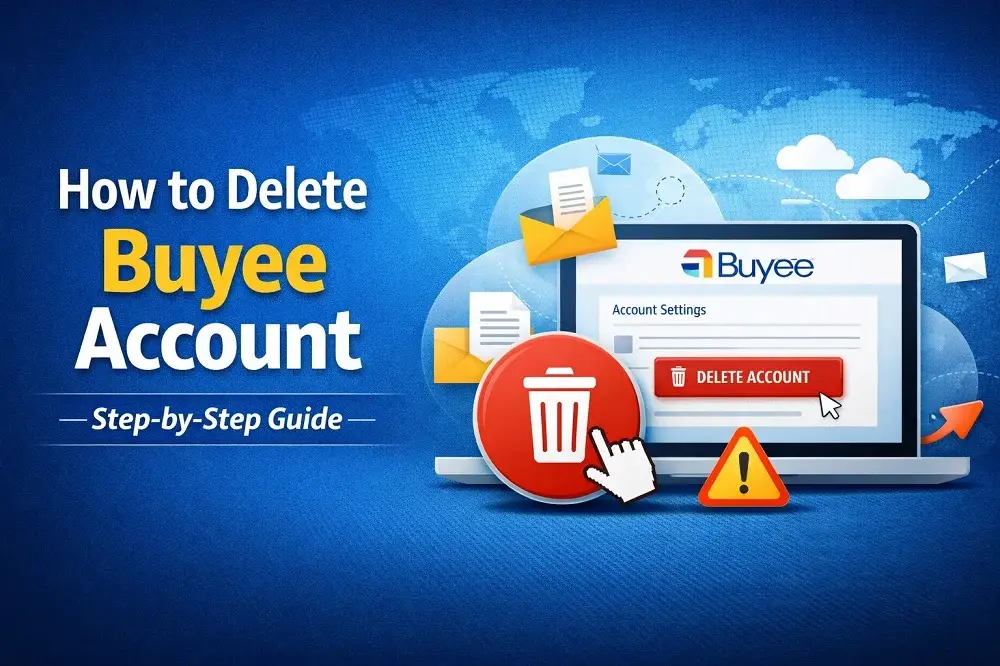
If you are searching for how to delete a Buyee account, you are in the right place. In this detailed guide, we will explain the safest and easiest ways to permanently close your Buyee account.
Buyee is widely used by international shoppers who want to buy products from Japanese marketplaces such as Yahoo! Japan Auctions, Mercari, Rakuten, and other local stores. However, some users eventually decide to leave the platform.
Whether you want to close your account because of privacy concerns, service fees, or simply because you no longer use the service, this article will help you understand the exact process of deleting your Buyee account.
Before proceeding, it is important to remember that account deletion is usually permanent, and you may lose access to your purchase history, shipping information, and saved items.
What is Buyee?
Buyee is a Japanese proxy shopping service that allows people outside Japan to purchase products from Japanese websites and online marketplaces.
Official website:
👉 https://buyee.jp
Since many Japanese online stores do not ship internationally, Buyee acts as an intermediary. The service purchases the item on behalf of the customer, stores it in a warehouse in Japan, and then ships it internationally.
Some of the most popular platforms accessible through Buyee include:
- Yahoo! Japan Auctions
- Mercari Japan
- Rakuten
- ZOZOTOWN
- Japanese online stores
This system has made Buyee one of the most popular proxy shopping services for international buyers.
However, if you no longer wish to use the service, you may want to delete or deactivate your Buyee account.
Why Do People Delete Their Buyee Account?
Before explaining the deletion steps, it helps to understand why many users choose to close their Buyee accounts.
1. Change in Shopping Habits
Some users eventually prefer buying directly from international stores or using different proxy services.
2. Data Privacy Concerns
Many internet users are now more cautious about their digital presence. Deleting unused accounts can help reduce personal data exposure online.
3. Service Fees and Costs
Buyee charges service fees, international shipping fees, and optional package consolidation fees. Some users may decide that these costs are no longer worthwhile.
4. Inactive or Unused Accounts
Sometimes users simply create an account to try the platform but stop using it after a while.
Important Things to Check Before Deleting Your Buyee Account
Before you delete your account, you should make sure the following conditions are met:
✔ All orders have been completed or delivered
✔ There are no pending payments
✔ Your warehouse items have been shipped or removed
✔ You saved any important purchase history or receipts
⚠️ Once your account is deleted, you may not be able to recover your purchase records or account data.
How to Delete Your Buyee Account (Step-by-Step)
You can delete your Buyee account directly from the website through your account settings.
Step 1: Log Into Your Account
Visit the official website:
Log in using your registered email address and password.
Step 2: Open Account Settings
After logging in:
- Click on your profile icon
- Go to Account Settings
- Navigate to the Account Information section
You may also access account management from:
Step 3: Find the Delete Account Option
Inside your account settings, look for an option such as:

- Delete Account
- Close Account
- Account Cancellation
This option is usually located under Account Preferences or Security Settings.
Step 4: Provide a Reason for Leaving
Buyee may ask you to select a reason for deleting your account.
This step is usually optional, but your feedback may help improve the service.
Common reasons include:
- High service fees
- Privacy concerns
- Switching to another platform
Step 5: Confirm Account Deletion
To finalize the process:
- Confirm that you want to delete your Buyee account permanently
- Enter your password or verification code
- Submit the request
After submitting the request, you should receive a confirmation email stating that your account deletion has been processed.
Alternative Method: Contact Buyee Customer Support
If you cannot find the account deletion option, you can contact Buyee support directly.
Support page:
👉 https://buyee.jp/help
You can submit a request explaining that you want to permanently delete your account and associated data.
Provide the following information:
- Your registered email address
- Your Buyee username
- A clear request for account deletion
Support staff will guide you through the process.
Can You Reactivate a Deleted Buyee Account?
In most cases, deleted Buyee accounts cannot be restored.
If you decide to use the service again in the future, you will likely need to create a new account using a different email address.
Final Thoughts
Buyee has made it easier for international buyers to access Japanese products and auctions, but it may not be suitable for everyone.
If you decide to leave the platform, you can delete your Buyee account through your account settings or by contacting customer support.
Before deleting your account, always remember to:
✔ Complete all transactions
✔ Ship any items stored in the warehouse
✔ Save important order history
Taking these precautions will ensure a smooth and problem-free account deletion process.
💬 Now we would like to hear from you:
Why are you deleting your Buyee account?
Share your experience in the comments section to help other users who might be considering the same decision.
Frequently Asked Questions
Can I permanently delete my Buyee account?
Yes, you can permanently delete your Buyee account through the account settings section on the Buyee website or by contacting Buyee customer support. Once the deletion process is completed, your account information, order history, and stored data may be permanently removed.
What should I do before deleting my Buyee account?
Before deleting your account, you should make sure that all your orders are completed, all payments are settled, and no items remain in the Buyee warehouse. It is also recommended to save your purchase history or receipts, as these records may no longer be accessible after account deletion.
Can I delete my Buyee account if I have items in the warehouse?
No, in most cases you cannot delete your Buyee account if there are items stored in the warehouse or if you have ongoing transactions. You must first ship or dispose of any remaining packages and complete all active orders before requesting account deletion.
How long does it take to delete a Buyee account?
The account deletion process usually takes a few days after submitting the request. If you contact customer support, the team may need time to verify your identity and review your account status before completing the deletion.
Can I create a new Buyee account after deleting my old one?
Yes, you can create a new account in the future. However, depending on Buyee’s policies, you may need to register using a different email address if your previous account has been permanently deleted.