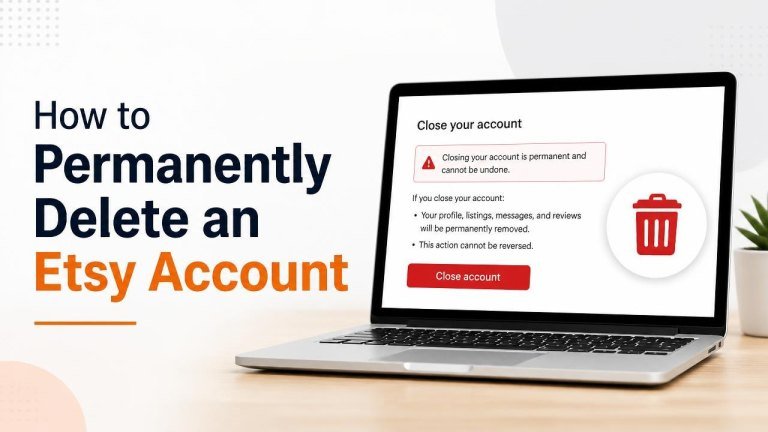
Deleting an Etsy account is a significant step because it can affect your purchases, shop activity, messages, reviews, and access to account information. If you are certain you no longer want to use Etsy, you can request permanent deletion through your account settings.
Before You Delete Your Etsy Account
Take a moment to review your account before submitting a deletion request. Save any order details, download important receipts, and resolve outstanding shop responsibilities first.
- Download or save receipts, order confirmations, and other information you may need later.
- Check open orders, returns, refunds, disputes, or cases.
- Make sure any outstanding seller obligations have been handled.
- Cancel active subscriptions or services connected to your Etsy account, if applicable.
- Confirm that you can access the email address associated with the account.
Account deletion may be difficult or impossible to reverse, so do not proceed until you are comfortable losing access to your Etsy profile and account history.
How to Permanently Delete an Etsy Account
The deletion option is generally found in Etsy’s privacy or account settings. Look for the privacy settings, choose account deletion, and follow the verification instructions shown on screen.

- Sign in to the Etsy account you want to delete.
- Open your account settings and go to the privacy or security section.
- Find the option to close, deactivate, or delete your account.
- Select the permanent deletion option if it is available.
- Review the information about the consequences of deletion.
- Confirm the request and complete any identity or email verification steps.
Etsy may display different options depending on whether you are a buyer, seller, or both. Read each prompt carefully so you choose permanent deletion rather than a temporary account closure.
How to Delete an Etsy Seller Account
If you sell on Etsy, closing your shop and deleting your account are not always the same action. First resolve open orders, handle customer service issues, and review your payment obligations before requesting deletion.
Close Your Etsy Shop First
Use your shop management settings to pause or close the shop according to Etsy’s available options. Make sure buyers receive any items they have purchased and that unresolved cases are addressed before you continue.
Keep copies of sales records, tax documents, and shipping information if you may need them for bookkeeping or legal purposes.
Submit the Account Deletion Request
After your seller obligations are complete, return to the account privacy settings and submit the deletion request. If Etsy does not allow you to complete the process because of an unresolved issue, contact Etsy Support and follow the instructions provided.
What Happens After You Request Deletion?
After you submit a request, Etsy may need to verify your identity, review the request, or retain certain information for legal compliance and fraud prevention. The account may not disappear immediately.
Permanent deletion can remove your access to account features and may affect your ability to view past orders, messages, reviews, or shop information. Some information may remain visible or be retained where required by law, payment processing rules, dispute resolution, or Etsy’s privacy policy.
Review Etsy’s current privacy documentation for the most accurate explanation of retention periods and information that cannot be deleted immediately.
Account Closure vs. Permanent Deletion
Closing or deactivating an account can be different from permanently deleting an account. Temporary closure may preserve account information, while permanent deletion is intended to remove personal data subject to applicable exceptions. A closed shop may also remain connected to an account.
If you only want to stop selling, consider closing or pausing your shop instead of deleting your entire Etsy account. If you want to stop receiving messages or marketing, changing email preferences may be enough.
What to Do If You Cannot Delete Your Etsy Account
If the deletion option is unavailable, check whether you have unresolved transactions, an open case, or another restriction on the account. Sign in through a web browser, review your settings, and try again after addressing any outstanding issue.
When self-service deletion does not work, contact Etsy Support through the official Help Center. Include the email address connected to the account and clearly state that you want to submit a permanent deletion request. Do not send passwords, payment card numbers, or other unnecessary sensitive information.
Frequently Asked Questions
Can I recover an Etsy account after deleting it?
Permanent deletion may not be reversible. Before confirming, save important records, check your active orders, and make sure you no longer need the account history.
Does deleting Etsy remove my reviews?
Deletion may affect your profile and account information, but content such as reviews can be handled according to Etsy’s policies and legal requirements. Check Etsy’s current privacy and community documentation for details.
Can I create a new Etsy account later?
You may be able to create another account, but do not assume that previous purchases, shop history, reviews, or messages will transfer. Keep copies of receipts, business records, and other information before deleting the original account.
Final Checklist
Before you confirm deletion, verify that you have saved essential records, completed open transactions, and selected the correct permanent deletion option. Once the request is submitted, monitor your email for confirmation or additional instructions from Etsy.