Deleting an Airbnb account is a permanent account deletion decision, so it is worth checking your reservations, messages, payments, and personal information before you begin. Airbnb may also require you to verify your identity or complete the request from your account settings.
Before deleting your Airbnb account
Review any upcoming reservations, unresolved support cases, and pending payments or payouts first. If you are a guest, make sure you have saved important booking details. If you are a host, check that you have completed any required actions for current stays and received any money owed to you.
You should also download or save information you may need later, such as receipts, reservation confirmations, cancellation records, and relevant messages. Once the account is deleted, recovering this information may be difficult or impossible.
How to delete your Airbnb account permanently
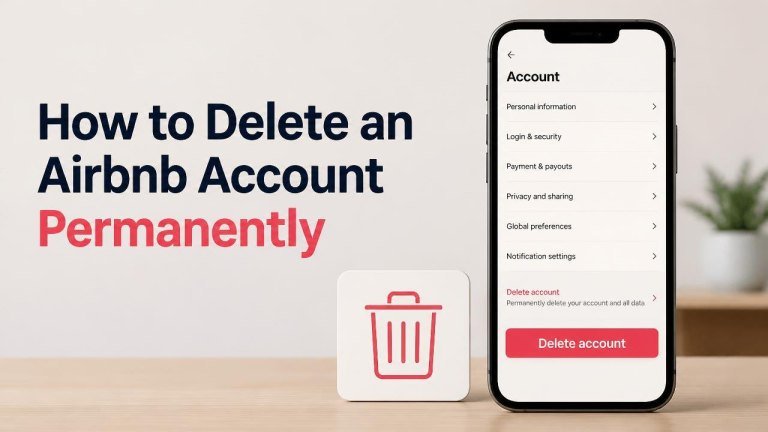
Airbnb can change the names or locations of settings, but the process generally begins with your logged-in account:

- Open Airbnb in a web browser or the mobile app and sign in to the account you want to close.
- Open your account settings or profile menu.
- Look for a section such as Privacy and sharing, account management, or personal information.
- Select the option to delete your account or request account deletion.
- Read the warning about permanent removal, choose a reason if requested, and continue.
- Complete any identity verification or confirmation steps.
- Submit the request and keep any confirmation shown on screen or sent by email.
If you cannot find the deletion option, use Airbnb’s official Help Center while signed in and search for account deletion. Avoid giving your password or verification codes to anyone claiming to offer account-closure assistance.
Using the Airbnb app
In the app, open your profile menu and look through account settings for privacy or personal-data controls. The exact menu may differ by device and app version, so follow the labels currently displayed in your account rather than relying on an old screenshot or guide.

Using a web browser
On the Airbnb website, open your profile menu, enter account settings, and look for privacy, personal information, or account-management options. If the option is unavailable, the Help Center can provide the appropriate support route for your region and account type.
What happens after you request deletion?
Account deletion is different from simply signing out or removing the app. Your profile access may end, and you may lose access to messages and reservations connected to the account. Information may also be handled according to Airbnb’s privacy policy, including records that must be retained for legal, security, fraud-prevention, or financial reasons.
Deletion may not cancel an active reservation automatically. Resolve or confirm any open bookings, refunds, disputes, or payouts before submitting the request. If you have an urgent issue, contact Airbnb Support first and ask how closing the account could affect it.
Can you recover a deleted Airbnb account?
Permanent deletion should be treated as irreversible. Do not assume that signing in later will restore your old profile, booking history, reviews, or messages. If you may want to use Airbnb again, consider saving necessary records and confirming the consequences with Support before completing the request.
What to do if you cannot delete the account
Check that you are using the correct email address or sign-in method, such as Apple, Google, or another linked provider. Resolve any verification problem and try the account settings again. You can also contact official Airbnb Support and request help with permanent account deletion.
Do not delete only the app and assume the account is gone. Uninstalling Airbnb removes the application from your device, but it does not normally close the online account or erase associated data.
Final checklist
- Save important receipts and confirmations.
- Review upcoming stays, cancellations, refunds, and disputes.
- Check for pending host payouts or guest charges.
- Use Airbnb’s official account settings or Help Center.
- Complete all requested verification steps.
- Submit the deletion request only when you are ready for the account to be permanently closed.