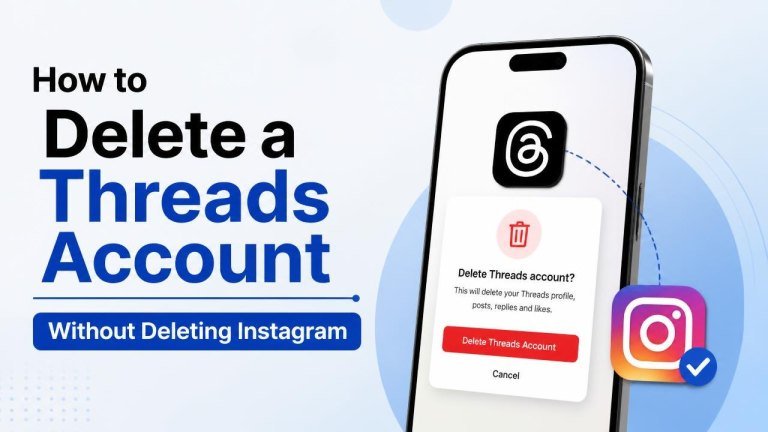
Want to leave Threads but keep using Instagram? You can manage the two services separately. Deleting your Threads profile does not require you to delete your Instagram account, although the exact menu names may vary slightly by app version and device.
What happens when you delete Threads?
Deleting Threads removes your Threads profile, including its posts, replies, likes, and followers. Your Instagram account remains active, so you can continue sharing photos, sending messages, and using Instagram normally. The deletion process may include a waiting period before the profile and associated content are permanently removed.
During that period, avoid logging back in if you want the deletion to continue. Signing in again or choosing an option to restore the profile may cancel the request, depending on the instructions shown in the app.
How to delete your Threads account without deleting Instagram
The process is completed from Threads, not from Instagram. Before starting, consider keeping files before deletion and review any information that may be connected to your Threads profile.

- Open the Threads app and sign in to the profile you want to remove.
- Tap your profile icon to open your profile page.
- Open the settings menu, usually through the menu button in the top corner.
- Choose the account or profile management section, then select the option to delete or deactivate your profile.
- Select Delete profile, rather than the temporary deactivation option.
- Follow the on-screen instructions, confirm your choice, and enter your password or verification details if requested.
After you confirm, Threads should display information about the request, including any applicable cancellation window. Read that notice carefully so you know when the profile will be removed and what action could reverse the request.
Delete Threads from a web browser
If you prefer using a computer, open the Threads website and sign in. Look for Settings, then the account or profile management area. From there, choose Delete profile and complete the requested confirmation steps.
The web layout may differ from the mobile app, but the important distinction is the same: choose permanent deletion instead of deactivation. If you cannot find the option, update the app, try the current Threads website, or check the platform’s help information for your account type.
Delete or deactivate: which option should you choose?
Choose deletion if you are sure you no longer want your Threads profile and its content. Choose deactivation if you want a temporary break while keeping the possibility of returning later.
Delete your profile permanently
Permanent deletion is appropriate when you want your posts removed, your profile taken offline, and your Threads presence closed. Save content before deletion because deleted information may not be recoverable after the process is completed.
Deactivate your profile temporarily
Deactivation hides your Threads profile without permanently removing it. This can be useful when you want privacy without deletion, need time away from the platform, or are still deciding what to do. Instagram remains available while your Threads profile is deactivated.
What if you cannot find the delete option?
First, make sure you are signed into the correct Threads profile. Then update Threads and check both the mobile app and website. Look for account controls under Settings, Account, or a similar profile-management section.
If the option is still missing, review the official help for deleting a Signal account or contact support through the available in-app route. Do not delete Instagram as a workaround: Threads deletion and Instagram account deletion are separate actions.
Before deleting Threads, use this checklist
A short review can prevent accidental loss of information. Confirm the correct profile, save anything you want to keep, and check whether you have an active deletion request already in progress.
- Download or save important posts, images, and conversations.
- Verify that you are deleting Threads only, not Instagram.
- Read the confirmation screen and note the cancellation instructions.
- Do not sign back in if you want the deletion request to proceed.
- Keep access to the email address or phone number linked to your account in case verification is required.
Frequently asked questions
Will deleting Threads delete my Instagram account?
No. Deleting your Threads profile does not delete your Instagram profile, photos, messages, or followers. You can continue using Instagram unless you separately request action on that account.
Can I use Instagram after deleting Threads?
Yes. Instagram remains usable after you submit a Threads deletion request. Your Instagram login and Instagram content are not automatically removed by deleting Threads.
Can I recover a deleted Threads account?
Recovery may only be possible during the cancellation period shown during deletion. Once the request is final, your deleted profile and content may not be recoverable, so treat the confirmation screen as important.
Is deactivating Threads the same as deleting it?
No. Deactivation is temporary and hides your profile, while deletion starts a process intended to remove it. Choose deactivation for a break and deletion when you are ready to close the profile.
Final takeaway
You can delete Threads without deleting Instagram by opening Threads settings and choosing the profile deletion option. Check the account name, select the correct action, save anything important, and follow the displayed confirmation and waiting-period instructions. If you are uncertain, deactivation offers a safer temporary alternative.