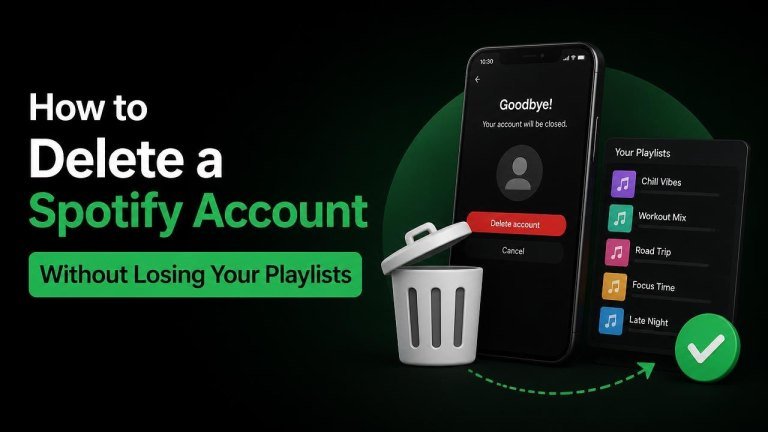
Deleting a Spotify account is more permanent than simply uninstalling the app or canceling a subscription. If your playlists are connected to that account, closing it may make them unavailable. The safest solution is to preserve your playlists, move what you can to a new account, and delete the original only after checking that everything important is accessible.
Can you delete Spotify without losing your playlists?
Not directly. Spotify playlists belong to the account that created or saved them, so deleting that account can remove your access to them. Canceling Premium is different: it normally leaves the account, playlists, and saved music in place while changing the subscription status.
Before deleting anything, make a complete playlist inventory, save important playlist links, and decide whether you want to use a new Spotify account. Treat the old account as the source until the transfer is fully checked.
What to do before deleting your Spotify account
Take a few minutes to identify the music and account information you want to keep. This preparation reduces the risk of losing a playlist that is difficult to rebuild.

- List your most important created playlists, including private playlists.
- Save links to playlists you want to reference later.
- Check your Liked Songs and add especially important tracks to a dedicated playlist.
- Note any artists, albums, podcasts, or follows that you may want to find again.
- Review whether you have a Premium subscription or another paid Spotify service.
Do not assume that a Spotify data download will recreate your playlists inside a new account. It may provide useful account information, but it is not the same as a direct playlist migration.
How to transfer playlists to a new Spotify account
Spotify does not provide a universal one-click way to merge every playlist and saved item into another account. However, you can preserve playlists using a mixture of sharing, copying, and rebuilding.
Use playlist links and follow the playlists
Open each important playlist on the old account and copy its share link. Sign in to the new account, open the link, and choose the option to follow or save the playlist when available. This gives the new account access to the playlist while the old account still exists.
Following a playlist may not make the new account its owner. If ownership matters, create a new playlist and copy the tracks into it instead.
Copy tracks into new playlists
Create matching playlists on the new account with clear names, such as “Road Trip Backup” or “Workout Favorites.” Then use the old playlists as a reference and add the tracks to the new versions. This method is slower, but it creates new playlist ownership and does not depend on the old account remaining active.

For a large music library, a reputable playlist-transfer service may be more convenient. Review its permissions and privacy terms carefully, and avoid giving access to services you do not trust.
Preserve songs that may be easy to overlook
Pay special attention to Liked Songs, private playlists, collaborative playlists, and playlists created by other users that you follow. Also check for tracks that are no longer available, because a copied playlist may not contain every original song if a track has been removed or restricted.
Cancel Spotify Premium without deleting the account
If your main goal is to stop being charged, you do not need to cancel Premium without deleting Spotify. Cancel Premium through the account or billing provider that manages your subscription. Your account can remain available with its playlists, saved music, and profile information after the paid period ends, subject to Spotify’s current account terms.
If you subscribed through a mobile app store, mobile provider, or another partner, cancellation may need to be completed through that provider rather than directly through Spotify. Check the subscription manager shown in your account before taking action.
How to delete the old Spotify account
After confirming that your playlists are available from the new account or another backup, use Spotify’s official account-closure or privacy-support process. Sign in to the correct account and follow the instructions for account closure or permanent deletion.
Read the confirmation screens carefully. Closing an account is not the same as logging out, removing the app, or canceling Premium. Once the deletion process is complete, recovery options may be limited or unavailable, and the old account’s playlist ownership should not be relied upon.
Final checklist before confirming deletion
Use this checklist before you submit the final request:
- Your new account can open every important playlist.
- Key playlists have been copied or saved, not merely viewed once.
- Your Liked Songs and private playlists have been reviewed.
- You have checked that the correct subscription has been canceled.
- You no longer need the old username, profile, followers, or account history.
- You understand that account deletion is permanent and may remove access to remaining content.
The safest way to delete Spotify without losing your playlists is to separate the two tasks: first preserve your music, then close the account. Keeping the old account active until the new playlists are tested gives you a final chance to correct missing tracks or forgotten favorites.