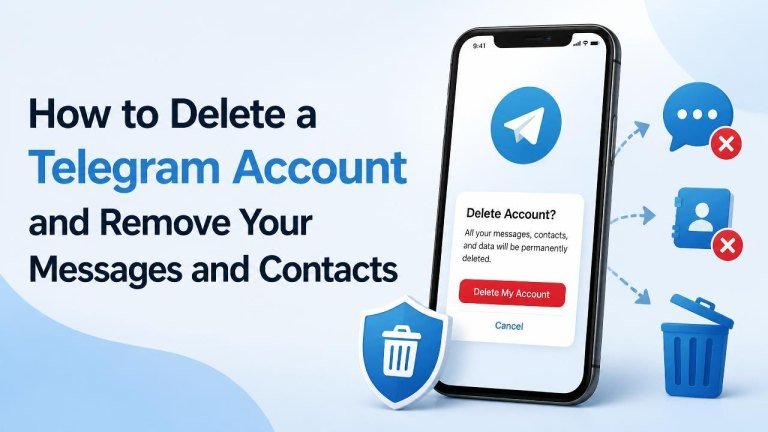
Deleting Telegram is more than uninstalling the app. Uninstalling removes the app from your device, but your account, cloud chats, contacts, and other data may remain available. If you want to leave permanently, you need to delete the account and review the messages and contacts you want removed first, just as when you delete a Snapchat account.
Before deleting your Telegram account
Account deletion is permanent and cannot be undone. Before continuing, review your important chats, media files, and any information you may need later. Save documents, photos, or conversations you are allowed to keep, and make sure you can access any accounts or services that use your Telegram number. The same preparation applies when you delete a WhatsApp account.
Remember that deleting Telegram does not automatically erase every copy of a message from another person’s device. If a conversation contains sensitive information, remove the relevant messages for both sides before deleting your account whenever Telegram offers that option.
How to delete your Telegram account immediately
The most direct method is Telegram’s official account-deactivation page. Use a browser and keep access to the Telegram account you want to close.

- Open Telegram’s official account deactivation page at my.telegram.org/auth?to=deactivate.
- Enter your phone number in international format, including the country code.
- Request the login code. Telegram generally sends this code through the Telegram app, not by ordinary SMS.
- Enter the code on the website and sign in.
- Select the option to delete your account.
- Review the warning, provide a reason if requested, and confirm the deletion.
After confirmation, the account is removed and the action is irreversible. Do not use this process unless you are certain you want to close the account.
How to remove Telegram messages before deleting the account
Deleting your account and deleting individual messages are separate actions. If you want a specific message or conversation removed from another participant’s Telegram chat, handle that task before closing the account.
Delete individual messages or conversations
Open the chat, select the message or messages, and choose the delete option. When available, select delete for both parties or the equivalent option. You can also remove an entire conversation if that is what you intend.
Check the confirmation carefully. A message may be removed from your view without being removed from the other person’s chat if you do not choose the option for both sides. Screenshots, forwarded copies, downloaded files, and notifications may still exist outside Telegram.
Review group and channel content
Messages in groups and channels can have different deletion controls depending on your role and Telegram’s available options. If you manage a group or channel, review posts, files, and other content before account deletion. Deleting your account does not guarantee that every copy of shared content will disappear from groups, channels, or members’ devices.

How to remove contacts and synced address-book data
Telegram contacts can come from two places: contacts stored in your Telegram account and the address book on your phone. To reduce remaining data, manage both the Telegram contact list and your phone address book.
- In Telegram, open your contacts and delete contacts you no longer want associated with the account.
- Open Telegram’s privacy or data settings and turn off contact synchronization.
- Use the option to delete or clear synced contacts, if it is available in your app version.
- Open your phone’s permissions and revoke Telegram’s access to your contacts.
- If appropriate, remove the same people from your device’s address book separately.
Deleting a contact in Telegram does not necessarily delete that person from your phone. Likewise, removing someone from your phone does not automatically remove previously synced contact data from Telegram, so complete both parts before account deletion.
What happens after you delete your Telegram account?
Your account profile and data associated with it are removed according to Telegram’s account-deletion process. Your contacts may see a deleted account instead of your profile. Messages you sent may remain in conversations in an anonymized form or may require separate deletion beforehand, depending on the chat and the deletion option used.
Groups and channels may continue to exist after your account is deleted. In some cases, content you posted can remain associated with a deleted account rather than being erased everywhere. Other participants may also retain copies, screenshots, exports, or downloaded media, so account deletion does not necessarily remove your personal information everywhere.
If you register Telegram again with the same phone number, it is treated as a new account. Your previous chats, contacts, and account history are not restored automatically.
What to do if you cannot access Telegram
The deactivation page requires a login code, so you generally need access to the account or an active Telegram session. If you lost your phone or SIM card, first contact your mobile provider to recover control of your number. Then sign in on a trusted device and complete the deletion process.
If you are still signed in on another device, use that session to review chats, remove sensitive messages, disable contact synchronization, and open the official deactivation page. Avoid third-party services that claim they can delete your account without verification.
Final checklist before permanent deletion
- Save any important files or information you may need.
- Delete sensitive messages for both sides where the option is available.
- Review groups, channels, saved messages, and shared media.
- Clear synced contacts and disable contact synchronization.
- Revoke Telegram’s access to your phone contacts.
- Confirm that you understand account deletion is permanent.
- Use only Telegram’s official account-deactivation page.
Once you complete the final confirmation, Telegram account deletion cannot be reversed. Taking these steps first gives you the best chance of removing the information you control and avoiding unwanted data loss.