Deleting a Spotify account is permanent, so it is worth separating two different actions: canceling Premium and closing the account. You can cancel a paid plan while keeping your Spotify profile, playlists, saved music, and listening history. Account deletion goes further and removes your access to the account and its associated data.
Cancel Spotify Premium first
If you only want to stop recurring charges, cancel Premium instead of deleting your account. Your subscription status, billing method, and renewal date determine the exact steps.
Premium billed directly by Spotify
Sign in to your Spotify account page, open the subscription or plan section, and choose the option to change or cancel your plan. Follow the confirmation screens until Spotify displays a cancellation confirmation. Premium normally remains available until the end of the already-paid billing period, while the account itself stays active.
Premium billed by another provider
If Spotify does not show a direct cancellation option, your plan may be managed by a mobile carrier, app store, internet provider, or another partner. In that case, cancel through the provider that processes the payment, just as you would cancel mobile subscriptions managed outside the service itself. Check your receipt or bank statement to identify the correct billing company.
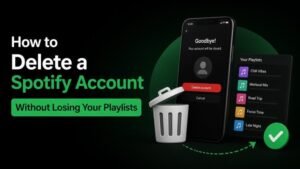
Protect your Spotify data before deletion
Before closing the account, make a copy of anything you may want later. Focus on your playlists, followed artists, and saved albums, because deleting a Discord account can also require preserving information before removal.
- Export or record playlist names, track lists, and playlist links.
- Save important podcast or audiobook information if you use those features.
- Download any personal files you uploaded, where applicable.
- Review your account email address and make sure you can still access it.
- Request an available copy of your personal data through Spotify’s privacy or account tools if you need a formal record.
Spotify’s data tools may provide account information and activity records, but they do not necessarily create downloadable copies of music. Offline Premium downloads are also not permanent ownership of the tracks, so saving videos before deletion illustrates why personal copies should be preserved first.
How to delete your Spotify account
Use Spotify’s official support and account-closure flow while signed in to the account you want to remove. The exact labels can change, so look for the account closure, privacy, or permanent deletion option rather than relying on an unfamiliar third-party guide.

Complete the closure confirmation
Spotify may ask you to verify your identity through your account email. Read the warning carefully before confirming: deletion is permanent, access will end, and previously created playlists or profile information may not be recoverable. Confirm only after checking that you selected the correct account.
What happens after deletion
Once the closure process is complete, you should no longer be able to use the account normally. Your profile, playlists, and saved library may no longer be available, and connected services may need to be unlinked separately.
Some information can be retained for legal, security, fraud-prevention, or transaction-related reasons. Deleting an account also does not automatically cancel every unrelated service billed through a third party, so verify the subscription cancellation with the actual payment provider.
Checklist before you confirm deletion
Use this final review to avoid losing something unexpectedly. Confirm your billing source, data backup, and account identity before submitting the request.
- Premium has been canceled through Spotify or the correct billing partner.
- You have copied important playlists and saved information.
- You have requested any personal data you want to retain.
- You have checked for Spotify accounts using different email addresses or login methods.
- You understand that account deletion cannot be treated as a temporary pause.
Can you recover a deleted Spotify account?
Do not assume that a deleted account can be restored. Spotify may provide a limited reopening or reactivation process in some circumstances, but availability and timing can vary. If you want a break rather than permanent removal, cancel Premium, sign out, and keep the account open instead.
The safest approach is simple: preserve the information you need, cancel recurring billing, and delete the account only when you are certain. Taking those steps in that order gives you the best chance of keeping your playlists and avoiding an unwanted charge.