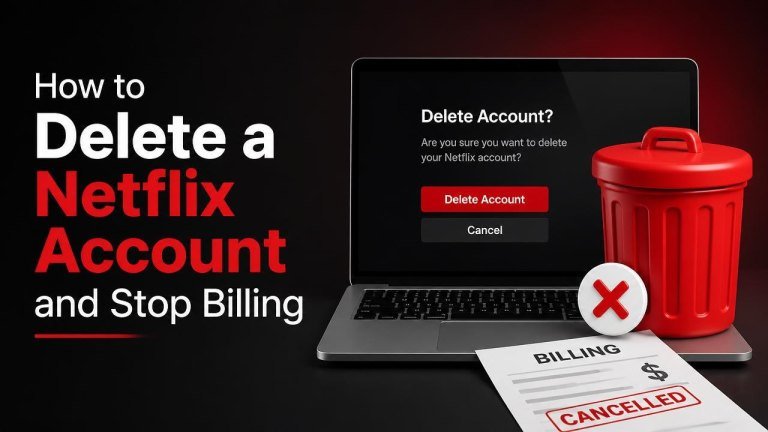
Canceling Netflix and deleting your account are related but separate actions. First, you must stop your membership so future charges end. After that, you can request account deletion if you no longer want Netflix to retain your account information.
Cancel your Netflix membership first
Start by ending your Netflix membership through the account that manages your billing. Sign in to Netflix from a web browser, open your profile menu, choose Account, and select Cancel Membership. Follow the confirmation steps until Netflix shows that cancellation is complete.
Cancellation normally lets you continue watching until the end of your current billing period. Save the confirmation email or take a screenshot of the cancellation page so you have a record of the request.
What to do if there is no cancellation button
If you cannot find a cancellation option, Netflix may not be billing you directly. Your subscription could be managed by a mobile carrier, internet provider, app store, or another payment partner.

Check your Netflix account for billing details, then cancel through the company listed there. For example, a subscription billed through an app store must be canceled in that store’s subscription settings. Contact the provider if the cancellation option is unavailable or unclear.
Request permanent Netflix account deletion
Canceling billing does not always immediately erase your account. To request permanent deletion, contact Netflix through its Privacy Center or customer support and clearly ask for your personal information and account to be deleted. Follow these Netflix account deletion steps when submitting the request.
Include the email address associated with the account and explain that you have already canceled the membership. Netflix may need to verify your identity before processing the request. Do not send passwords, full payment card numbers, or other unnecessary sensitive information.
Understand Netflix’s deletion timing
Netflix may retain certain information for a limited period after cancellation, including information needed for legal obligations, fraud prevention, disputes, or business records. In some cases, an inactive account is scheduled for deletion after a waiting period rather than being erased immediately.
Ask support to confirm the deletion status and whether any information must be retained. If you change your mind before deletion is completed, signing in or restarting the membership may affect the process, so follow the instructions Netflix provides.
Check that Netflix billing has stopped
After canceling, review your bank statement, credit card activity, or payment-provider account during the next billing cycle. A pending transaction may have been authorized before cancellation, while a new recurring charge can indicate that the wrong account or billing provider was canceled.
If a charge appears after your cancellation date, contact Netflix or the third-party billing provider with your cancellation confirmation, charge date, and account email. Never assume that deleting the app or removing a payment method cancels the subscription.
Before you delete the account
Make sure you have saved anything you need, such as billing records, profiles, viewing preferences, or information needed for a refund inquiry. Deletion can remove access to account-related data and may not be reversible.
- Confirm that the membership is canceled.
- Identify whether Netflix or a third party handles billing.
- Save your cancellation confirmation and recent receipts.
- Submit a clear deletion request through Netflix’s official privacy or support channel.
- Watch for confirmation that billing has ended and the deletion request was received.
Common mistakes to avoid
Deleting the Netflix app does not cancel a subscription, and changing your password does not stop charges. Similarly, removing a card from a wallet or closing a profile may leave the main membership active.
Always use the official account settings or the provider that appears on your bill. If you have multiple Netflix accounts, check each account email and payment record before assuming every membership has been canceled.
Final checklist
To stop Netflix billing successfully, cancel the membership, verify the correct billing provider, and keep proof of the cancellation. Then submit a separate account deletion request if you want your account information removed.
Because deletion and billing cancellation can follow different processes, check both your Netflix account and your payment statements. This gives you the best chance of confirming that no future charges are scheduled and that your privacy request is being handled.