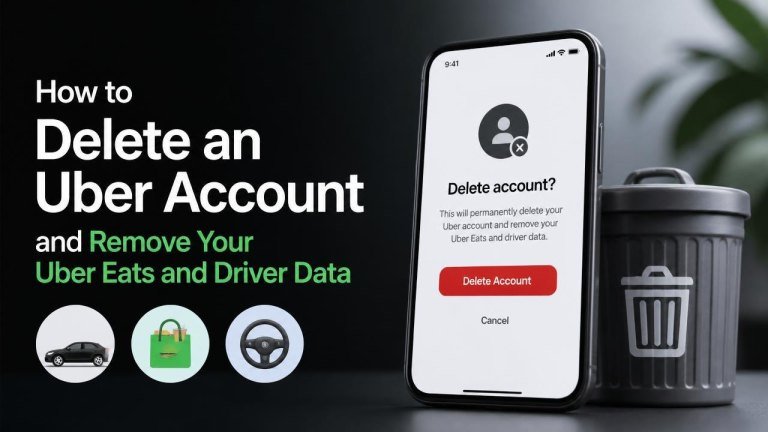
Deleting an Uber account can affect your access to Uber, Uber Eats, and any driver or delivery-partner profile connected to the same login. Before you submit a deletion request, review your account, save anything you may need, and resolve pending orders and payouts or other issues that could delay the process.
What happens when you delete your Uber account?
Account deletion is generally intended to remove or deactivate your Uber profile, account history, and access to connected services. However, deletion may not mean that every record disappears immediately. Uber may retain certain information when required for legal obligations, security, fraud prevention, dispute resolution, or financial and regulatory purposes.
Your Uber and Uber Eats access may be affected together if both services use the same account credentials. If you drive or deliver with Uber, your partner profile and related records may also be included in the request, subject to applicable retention requirements.
Before deleting your Uber account
Take a few practical steps before starting. Check for pending refunds, unresolved charges, and active subscriptions such as any membership or benefits connected to your account. Save receipts or other records you may need for expenses, tax reporting, or customer support.

- Complete or cancel any active rides, deliveries, or orders.
- Review outstanding balances and payment issues.
- Download or save important receipts and trip information.
- Cancel subscriptions or recurring services separately if necessary.
- Make sure you can access the email address or phone number linked to the account.
If you are an Uber driver or delivery partner, also save any records needed for income reporting, vehicle expenses, or business administration before requesting deletion.
How to delete your Uber account in the app
The exact menu names may vary by app version and location, but the deletion option is usually available through the account and privacy settings. Open the Uber app and follow these general steps:
- Open the app and sign in to the account you want to remove.
- Open your profile, account, or menu area.
- Choose Settings, then look for Privacy or a similar privacy option.
- Select the option related to account deletion or deleting your account.
- Review the information shown and follow the verification instructions.
- Confirm the request only after checking that you selected the correct account.
If you cannot find the option, use the in-app Help section and search for account deletion or privacy requests. Avoid deleting the app alone: uninstalling the app removes it from your device but does not delete your Uber account.
How to request deletion through Uber’s website
You can also use Uber’s online help or privacy request tools if the app does not provide the option or you cannot sign in normally. Sign in where requested and look for a privacy request, account access, or deletion request form.
Provide accurate identifying information and use the email address associated with the account when possible. Uber may ask you to verify your identity before processing the request. Keep a copy of any confirmation message or request reference for your records.
How Uber Eats data is handled
Uber Eats may use the same account as your ride profile, so deleting the main Uber account can affect your order history, saved addresses, and account access across both services. If you use a separate login, submit the request for that specific account.
Before proceeding, save any receipts you need and resolve open problems with orders, refunds, credits, or payment disputes. Deleting the account may make it harder to access historical information through the app.

How driver and delivery-partner data is handled
If you drive or deliver with Uber, your account may include onboarding documents, trip or delivery records, payment information, support communications, and compliance records. A deletion request can cover this partner data, but some information may be retained because of tax requirements, regulatory duties, safety investigations, fraud prevention, or other lawful reasons.
Download or record the information you need before submitting the request. If you only want to stop driving or delivering, account deletion may be more permanent than necessary. Contact Uber support to ask about deactivation or pausing partner access instead.
What to do if you cannot delete the account
If the deletion option is unavailable, update the app and try Uber’s help center or privacy request process. Make sure you are using the correct login and can complete any identity verification step.
For an account you cannot access, explain the problem through official Uber support. Do not send passwords, full payment-card details, or other unnecessary sensitive information. If you believe someone else controls the account, report the security concern immediately and request help securing it before deletion.
After submitting the deletion request
Save the confirmation and watch the email address associated with your account for follow-up messages. During processing, avoid creating a new account with the same details unless Uber instructs you to do so, because a new account may not restore your old history, credits, or records.
If you change your mind, review any cancellation instructions promptly. Once deletion is completed, recovering the account or its data may not be possible. Some records can also remain for legitimate legal purposes even after your user profile is removed.
Frequently asked questions
Does deleting the Uber app delete my account?
No. Removing the app from your phone only deletes the local application. You must submit an official account deletion request to remove or deactivate your Uber profile.
Will deleting Uber remove Uber Eats too?
If both services use the same login, deleting the Uber account can affect Uber Eats access and data connected to that account. Check the account details carefully before confirming the deletion request.
Can I delete only my driver data?
You can ask Uber support or its privacy team about a specific data request, but some driver records may need to be retained. Explain whether you want partner access stopped, specific data removed, or the entire account deleted.
How long does account deletion take?
Processing time can vary depending on verification, account issues, and legal or operational requirements. Follow the instructions in Uber’s confirmation messages and contact official support if you need an update on your deletion request.