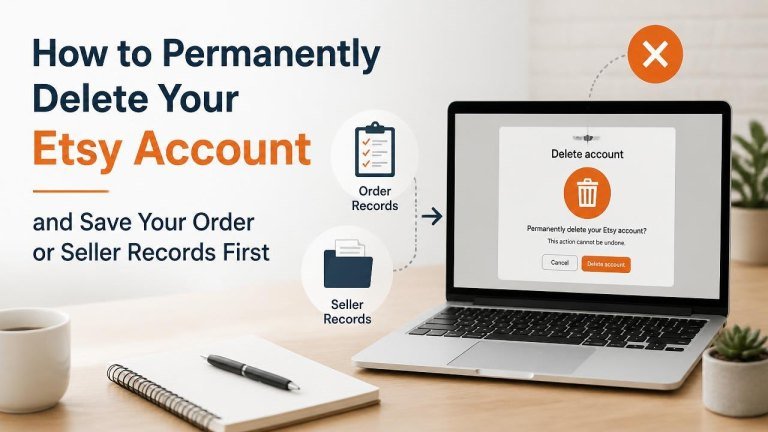
Deleting an Etsy account may seem straightforward, but closing it too soon can make it harder to find important information later. Before you begin, save any order details, receipts, messages, and seller documents you may need for returns, taxes, disputes, or business records.
What to Do Before Deleting Your Etsy Account
Account deletion is best treated as a final step after you have completed all open activity. Review your active orders, open cases, and seller obligations before requesting closure.
- Wait until pending purchases, refunds, returns, and disputes are resolved.
- Download or save receipts for completed orders.
- Record seller sales, fees, shipping information, and payment details needed for bookkeeping.
- Save conversations with buyers, sellers, or Etsy support that may be relevant later.
- Use any remaining account balance or resolve outstanding payment issues.
- Cancel or review listings, shop activity, and subscriptions that you no longer need.
Save Your Buyer Order Records
For purchases, create a personal record of each transaction before closing the account. Keep the order number, item description, seller name, and purchase date. Save receipts as PDF files or screenshots, and retain tracking information for shipments that could still require attention.
Save Your Seller and Tax Records
If you sell on Etsy, preserve records before deleting the account. Download or organize sales reports, fee information, and tax documents for the period you need. You may also want copies of customer communications, shipping records, listing details, and payment-account statements. Keep these files securely and follow your local record-retention requirements.

How to Permanently Delete Your Etsy Account
Use Etsy’s account settings and privacy controls to locate the account-closure or deletion option. The exact wording and screen layout may change, so follow the instructions displayed in your account. Confirm that you are choosing permanent deletion, not merely signing out or temporarily deactivating the account.
- Sign in to the Etsy account you want to close.
- Open your account settings or privacy settings.
- Find the option related to closing, deactivating, or deleting the account.
- Review any warnings about irreversible deletion, open transactions, and record access.
- Complete any identity, password, or email confirmation steps requested.
- Submit the deletion request and save any confirmation message or reference information.
If you cannot access the account, use Etsy’s official help or support process. Be ready to verify ownership with information associated with the account, but avoid sending unnecessary sensitive data.
Account Closure Versus Permanent Deletion
Closing, deactivating, and permanently deleting an account may have different effects. A deactivated account may not be the same as a permanently deleted account, while a closed shop may leave the broader Etsy account available for purchases or messages. Read the confirmation screen carefully so you understand which action you are taking.

Deletion also may not remove records that Etsy must retain for legal compliance, fraud prevention, or financial reporting. It can, however, prevent you from accessing information through the account, which is why saving your records first is important.
What to Save in a Personal Etsy Archive
A simple archive can help you manage future questions without relying on account access. Store files in a secure location and use clear filenames containing the date, order number, or record type.
- Order confirmations and receipts
- Invoices and payment confirmations
- Shipping and tracking records
- Refund, return, and case details
- Messages with buyers, sellers, and support
- Sales, fees, and payout reports
- Tax forms and business-related documents
- Copies of important listings or product information
Common Problems When Deleting an Etsy Account
You may be unable to complete deletion if there are pending orders, unresolved cases, or account verification issues. Resolve the underlying issue first, then return to the account settings. If the deletion option is unavailable, consult Etsy’s current help documentation rather than relying on an outdated guide.
Do not delete the email address or phone number connected to the account until you have completed any required confirmation steps. Also, check your downloaded files before submitting the request to make sure the records are readable and complete.
Final Checklist Before You Submit the Request
Use this checklist to confirm that you are ready for permanent closure and will not need regular access to the account.
- All purchases, returns, refunds, and disputes are complete.
- Important receipts and order information are saved.
- Seller reports, payment records, and tax documents are archived.
- Important messages and support correspondence are preserved.
- You understand that deleted-account access may not be restored.
- You have reviewed Etsy’s current deletion instructions.
- You have saved the confirmation of your request.
Once your records are secure and all activity is settled, submit the deletion request through Etsy’s official account controls. Taking a few minutes to prepare first can protect the information you may need long after the account is gone.