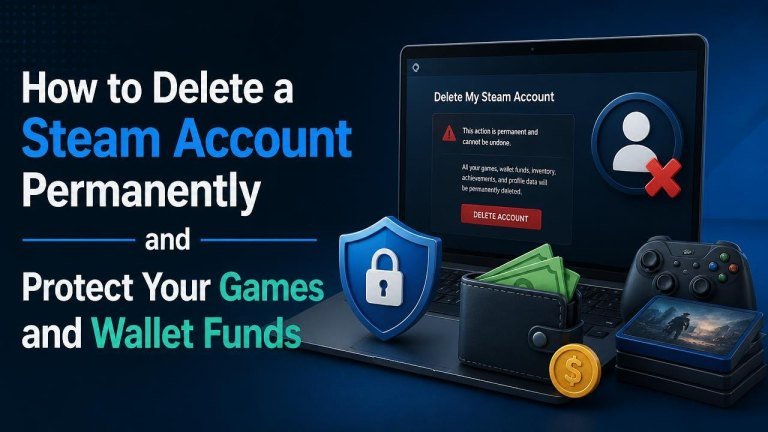
Deleting a Steam account is a permanent decision. Before you submit a request, it is important to understand what happens to your games, Wallet funds, purchases, subscriptions, and personal information. Steam account deletion is not the same as uninstalling the Steam client or removing a game from your library.
What Happens When You Delete a Steam Account?
A permanent deletion request can remove access to your Steam profile, game licenses, and account history. Games purchased through Steam are generally tied to the account that bought them, so they cannot normally be transferred to another account. Your friends list, achievements, inventory items, screenshots, and other account-associated content may also become inaccessible.
Any remaining Steam Wallet balance may be lost, and active subscriptions or other account-linked services can be affected. Because deletion is irreversible after the applicable cancellation period, review your account carefully before making the request.
Before Deleting Your Steam Account
Take time to protect anything you may need later. The following checklist can help you save your order records first and avoid losing useful records or overlooking a recurring service.

- Review your purchase history and save receipts or transaction details for your records.
- Use or carefully review any remaining Wallet funds, since they may not be recoverable after deletion.
- Cancel relevant recurring subscriptions and check whether any third-party services use your Steam login.
- Back up personal screenshots, artwork, videos, save files, and other local data you want to keep.
- Check whether family members or other users rely on your account or shared library access.
- Make sure you can access the account email address and complete any required identity verification.
Understand Your Games and Purchases
Account deletion does not create a transferable copy of your games. Your digital licenses are associated with the Steam account, while local installation files may remain on a computer but will not provide dependable access after the account is gone. Downloaded games, DLC, in-game items, and software should therefore be considered at risk of permanent loss.
If you are deleting the account because of a problem with one purchase, contact Steam Support first. A support request may be more appropriate than deleting an entire account.
Protect Your Personal Data
Save only the records you legitimately need, such as invoices or support correspondence. Remove unnecessary payment methods and review connected services before submitting the request. Never share your password, Steam Guard code, or recovery information with anyone claiming to process the deletion for you.
How to Request Permanent Steam Account Deletion
Steam handles account deletion through its official support process. Sign in through the official Steam website, open Steam Support, and look for the account or account-data options related to deletion. The exact wording and navigation may change, so use the current instructions shown by Steam rather than relying on an unofficial guide.

- Sign in to the Steam account you want to delete.
- Open the Steam Support area and select the account-management or deletion option.
- Read the warnings about permanent loss of access, purchases, funds, and account content.
- Submit the requested information and complete any identity checks.
- Keep the confirmation message or support ticket number for your records.
Steam may provide a period during which a deletion request can be canceled. Treat the request as final, however, and do not assume that recovery will be possible once the process is completed.
How to Cancel a Deletion Request
If you change your mind, contact Steam Support promptly through the same official account-management channel. Include the relevant support ticket or confirmation details and clearly state that you want to cancel the deletion request. Cancellation may only be possible during the period specified by Steam, so act quickly.
Do not create a second account expecting it to restore your game library, Wallet balance, or profile data. A new account is separate from the original one.
Safer Alternatives to Account Deletion
Permanent deletion may not be necessary if your goal is privacy, fewer notifications, or a break from gaming. Consider changing your privacy settings, removing your posts and comments, removing profile information, uninstalling the Steam client, or securing the account with stronger login protection.
- Set your profile and game details to more restrictive visibility settings.
- Remove unwanted friends, comments, screenshots, or public profile information.
- Unsubscribe from marketing messages and disable unnecessary notifications.
- Change your password and enable Steam Guard if you suspect unauthorized access.
- Contact Steam Support about a specific billing, security, or purchase issue.
Protect Your Account Before Making a Final Decision
If suspicious activity prompted the deletion request, secure the account first. Change your Steam password, secure the email account connected to Steam, scan your devices for malware, and remove unfamiliar authorized devices or sessions where available. Also review recent purchases and contact official support about unauthorized transactions.
Only use links from the official Steam domain. Scammers often promise account recovery or deletion services in exchange for login details, payment, or security codes.
Final Checklist
Before confirming deletion, verify that you have reviewed your game library, Wallet funds, and subscriptions. Save important receipts and local files, withdraw your money first, remove payment information where appropriate, and make sure you understand that account-linked purchases cannot normally be moved to another account.
Once you are certain, submit the request through official Steam Support and retain the confirmation. If you are uncertain, pausing the account or adjusting privacy and security settings is safer than taking an irreversible step.