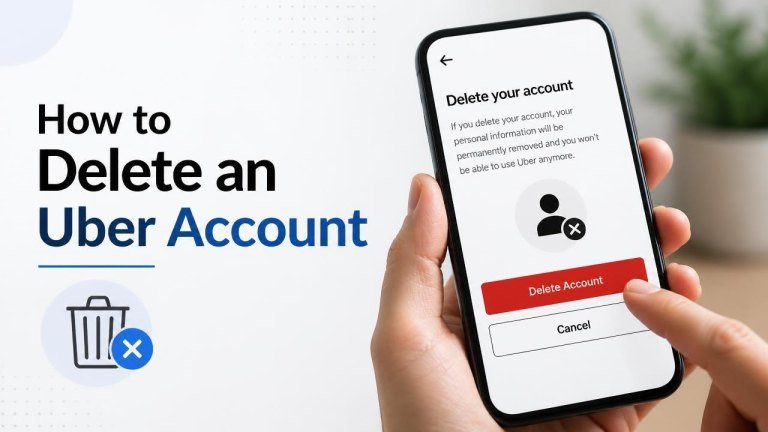
Deleting an Uber account is straightforward, but it is worth reviewing your account first. Once deletion is completed, you may lose access to your trip history, saved payment methods, and other account information. Follow the steps below to start the process safely.
Before You Delete Your Uber Account
Take a moment to check for any unresolved issues before submitting your request. Make sure you have reviewed pending charges, downloaded anything you want to keep, and considered whether you use the same login for other Uber services. If you have an active issue with a trip, payment, or refund, contacting Uber Support first may help you resolve it.
You should also confirm that you can access the email address or phone number linked to your account. Uber may ask you to verify your identity during the deletion process.
How to Delete an Uber Account in the App
The account deletion option is available through the Uber app’s account settings. The names or location of menu items may vary slightly by app version, but the process generally follows these steps:

- Open the Uber app and sign in.
- Tap your profile icon or account menu.
- Open Settings or the account management section.
- Select Privacy or a similar privacy option.
- Choose Delete account and follow the on-screen instructions.
- Review the information shown, complete any required verification, and confirm your request.
Read the confirmation screen carefully before proceeding. Account deletion may not be immediate, and some information may be retained where required for legal, security, or financial reasons.
How to Delete an Uber Account on the Website
If you prefer using a browser, sign in to Uber’s official account or privacy area and look for the deletion request option. You may need to complete account verification before the request can be submitted.
- Visit the official Uber website and sign in.
- Open your account settings or privacy controls.
- Find the option to delete your account.
- Follow the prompts and confirm that you want to submit the request.
Use only Uber’s official website and avoid entering your login details into links from unknown messages. If you cannot find the deletion option, the Help Center or in-app support may provide the current route for your account type.
What Happens After You Request Deletion?
After you submit the request, Uber may begin a deletion process rather than removing every record instantly. You may temporarily be able to reactivate the account by signing back in, depending on the status of the request and Uber’s current policies.
When the process is complete, access to your account history, profile, and associated services may be removed. Certain records can still be kept for legal obligations, fraud prevention, safety, dispute resolution, or accounting purposes.

If You Cannot Delete Your Uber Account
If the deletion option is unavailable, first update the app or try the official website. Check that you are signed in to the correct account and that your contact information is accessible. You can also contact Uber Support through the app or official Help Center.
When contacting support, explain that you want to submit an account deletion request. Do not send your password, full payment card number, or other unnecessary sensitive information.
Deleting the App Is Not the Same as Deleting Your Account
Removing Uber from your phone only deletes the mobile app from that device. It does not close your account or remove data held by Uber. To delete the account, you must complete the official account deletion process through the app or website.
If you only want a break from Uber, uninstalling the app or turning off notifications may be enough. If your goal is permanent closure, make sure you receive a deletion confirmation or see clear status information after submitting the request.
Frequently Asked Questions
Can I delete my Uber account without the app?
Yes. You can generally use Uber’s official website or privacy support tools to submit a deletion request. You will still need access to your login credentials and may need to complete identity verification.
Can I create a new Uber account after deleting one?
You may be able to create another account, but this depends on Uber’s current policies and whether your phone number or email address remains associated with prior account records. Check the official sign-up process if you decide to return.
Will deleting my account cancel pending charges?
Deleting an account does not necessarily cancel pending charges, refunds, or other financial obligations. Resolve outstanding payment questions with Uber Support before submitting the request whenever possible.
Final Checklist
Before confirming deletion, check your trip history, resolve any open support issues, and make sure you have saved information you may need later. Then submit the request through Uber’s official app or website and keep any confirmation for your records.