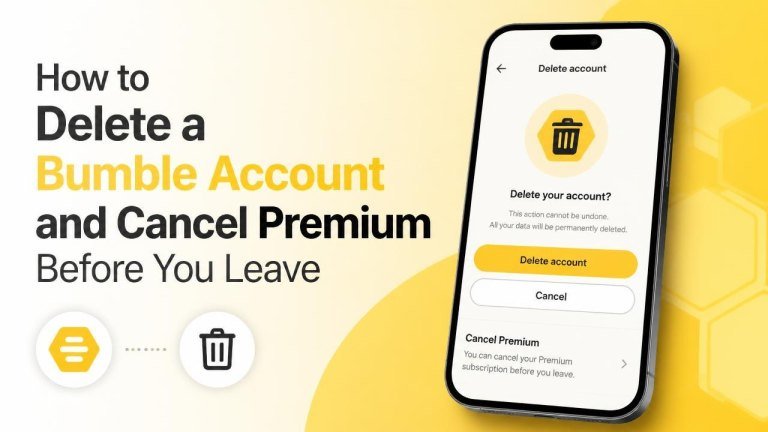
Leaving Bumble involves two separate steps: canceling Premium and deleting your account. Canceling a subscription stops future charges, while account deletion removes your Bumble profile. Completing both steps helps you leave without an unwanted renewal or an active dating profile.
Cancel Bumble Premium Before Deleting Your Account
Always cancel your paid plan first. Deleting the app does not cancel a subscription, and canceling mobile subscriptions may require action through the store or payment service you used.
If You Subscribed Through Apple
On an iPhone or iPad, open your device’s Settings, tap your Apple Account, and open Subscriptions. Select Bumble, choose Cancel Subscription, and follow the on-screen instructions. If Bumble does not appear, check that you are signed in to the Apple Account used for the purchase.
If You Subscribed Through Google Play
On an Android device, open Google Play and select your profile icon. Go to Payments & subscriptions, open Subscriptions, select Bumble, and choose Cancel subscription. Confirm the cancellation and check the subscription status afterward.
If You Paid Through Bumble’s Website
If you purchased Premium directly from Bumble, sign in to the Bumble website and open your account settings or subscription area. Look for the option to manage or cancel your plan. The exact menu wording may vary, so follow the instructions shown for your account and payment method.
Check That Your Subscription Is Canceled
After canceling, verify the result rather than relying only on a confirmation screen. Look for a cancellation confirmation, a changed renewal status, or an end date in the relevant store or Bumble account. Keep the confirmation email or take a screenshot for your records.
In many cases, canceling prevents the next charge while allowing access to paid features until the current billing period ends. If you were charged unexpectedly, review your receipt and contact the payment provider or Bumble support through the official help channels.
How to Delete Your Bumble Account
Once Premium is canceled, open Bumble and sign in if necessary. Go to your profile, open Settings, and scroll until you find the account deletion option. Select Delete account, choose a reason if Bumble asks for one, and confirm the deletion.
Read each confirmation screen carefully. Do not choose a temporary visibility setting if you want your account removed. Options such as hiding or snoozing a profile are different from permanent deletion.
Use the Correct Account
If you have more than one login method, make sure you are deleting the account connected to your email address, phone number, or social login. If your profile still appears after deletion, sign out, close the app, and check whether you accidentally opened a different account.
What to Do Before You Delete Bumble
Account deletion may remove your profile, conversations, matches, and other account data. Before confirming, save anything you are legally or personally entitled to keep, such as important contact details or information you need for a support request.
- Cancel any active subscription through the correct billing platform.
- Save relevant receipts or confirmation emails.
- Review connected login or payment details if you are concerned about account security.
- Delete the app from your phone after your account is removed, if you no longer need it.
Deleting the App Is Not Enough
Removing Bumble from your phone only deletes the app installation. It does not necessarily delete your profile or stop recurring payments. To leave completely, cancel the subscription, delete the account inside Bumble, and then uninstall the app if desired.
If You Cannot Cancel or Delete Your Account
If the cancellation option is missing, check where you originally subscribed. An Apple subscription must generally be managed through Apple, while a Google Play subscription must be managed through Google Play. For website purchases or account problems, contact Bumble Support using the official help center.
When contacting support, avoid sending unnecessary sensitive information. Include the account email, relevant purchase receipt, and a clear description of the problem, but do not share passwords or payment card security codes.
Final Checklist
Before you leave Bumble, confirm that you completed each step:
- Premium is canceled in Apple, Google Play, or Bumble’s website.
- You received or saved a cancellation confirmation.
- Your Bumble account was deleted from inside the app.
- You removed the app from your devices if you no longer need it.
Following this order gives you the best chance of avoiding future charges and leaving Bumble with your account settings properly handled.