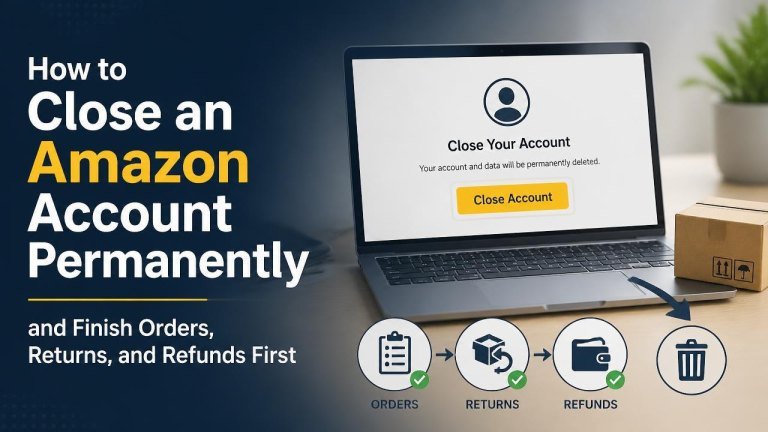
Closing an Amazon account is a permanent decision, so it is important to finish any open activity before submitting the request. Review your orders, returns, refunds, subscriptions, digital content, and account records first. Once the account is closed, access to related information and services may no longer be available.
What to Do Before Closing Your Amazon Account
Start by checking for open orders, pending returns, and unresolved refunds. Save any information you may need later, including order numbers, invoices, tracking details, return confirmations, and customer service correspondence.
You should also review connected services and payment activity. Make sure important transactions are complete, transfer your balance first, remove payment methods if appropriate, and download copies of useful records before requesting closure.
Finish Open Orders and Deliveries
Wait until all deliveries are complete and confirm that the items arrived as expected. If an order is delayed, damaged, missing, or incorrect, contact Amazon or the seller before closing the account so the issue can be documented and resolved.

For orders that have not shipped, consider whether cancellation is possible. Keep the order confirmation and any shipping updates until the transaction is fully settled.
Complete Returns and Exchanges
Finish every return request, package drop-off, and exchange before closing the account. Retain the return receipt, tracking number, and proof of delivery until Amazon or the seller confirms that the return has been processed.
If a return is still under review, wait for the final outcome whenever possible. Closing the account too early may make it harder to access return instructions or provide additional information.
Resolve Refunds and Payment Issues
Check whether each expected refund has been issued and whether it has appeared through the original payment method. A refund may take additional processing time after it is approved, so keep relevant confirmations and transaction records.
Also resolve billing disputes, promotional credits, gift card concerns, and seller claims before requesting closure. If money is still owed to you or a transaction is being investigated, withdraw your money first, contact support and keep the case details.
Review Subscriptions and Digital Services
Before closure, inspect recurring subscriptions, digital purchases, and active services associated with the account. Cancel subscriptions you no longer want and check the renewal status of services billed through Amazon.
Consider whether you need continued access to digital books, videos, music, apps, games, or other purchased content. Account closure can affect access to digital libraries and related settings, so review the applicable service information and download your account data before saving anything you are permitted to keep.
Save Important Account Information
Download or record invoices, order history, and tax documents that you may need for personal, business, warranty, or reimbursement purposes. You may also want to save seller messages, warranty information, and customer service case numbers.

Do not rely on being able to retrieve these records after closure. Store copies securely and avoid keeping unnecessary sensitive information in unsecured locations.
How to Request Permanent Amazon Account Closure
When your account activity is complete, sign in to Amazon and use the account closure or customer service options available for your region. Look for the account closure request, review the explanation of consequences, and follow the prompts carefully.
You may be asked to verify your identity or confirm that you understand the closure is permanent. Select the correct account and provide an accessible contact method so you can receive closure communications or follow-up instructions.
Confirm the Correct Account
Before submitting the request, verify the email address, mobile number, and account details shown on the page. If you use multiple Amazon accounts, make sure you are closing the account that contains the orders, subscriptions, and digital content you reviewed.
Submit and Monitor the Request
After submitting the closure request, watch for a confirmation message or email. Keep it with your records, and do not create a new request repeatedly unless Amazon instructs you to do so.
If the account remains accessible temporarily, avoid starting new orders or subscriptions. For unresolved issues, use the contact details in the confirmation or contact Amazon support as soon as possible.
What Happens After Account Closure
Permanent closure may remove access to order history, digital content, and account settings. Services connected to the account may also stop working, and you may not be able to reactivate the same account or recover its information.
Closure does not necessarily cancel or reverse transactions that were already completed. That is why it is essential to settle returns, refunds, and other open matters before making the request.
Final Checklist Before You Close the Account
- Confirm that all orders have been delivered, canceled, or otherwise resolved.
- Complete every return or exchange and retain tracking evidence.
- Verify that expected refunds and credits have been processed.
- Cancel unwanted subscriptions and recurring charges.
- Save invoices, receipts, and case numbers you may need later.
- Review access to digital purchases and connected services.
- Submit the closure request only after confirming the correct account.
Frequently Asked Questions
Can I reopen an Amazon account after closing it?
Permanent closure is intended to end the account, and access may not be restored. Treat the decision as irreversible and save important records, purchase information, and support details beforehand.
Can I close my account while a refund is pending?
It is safer to wait until the refund is approved and visible through the original payment method. If that is not possible, contact support, explain the situation, and retain the case reference and payment documentation.
Should I delete payment methods first?
Removing saved payment methods can be a useful precaution, but it does not replace resolving pending orders, charges, or refunds. Review the account carefully and keep evidence of any completed transactions before closure.