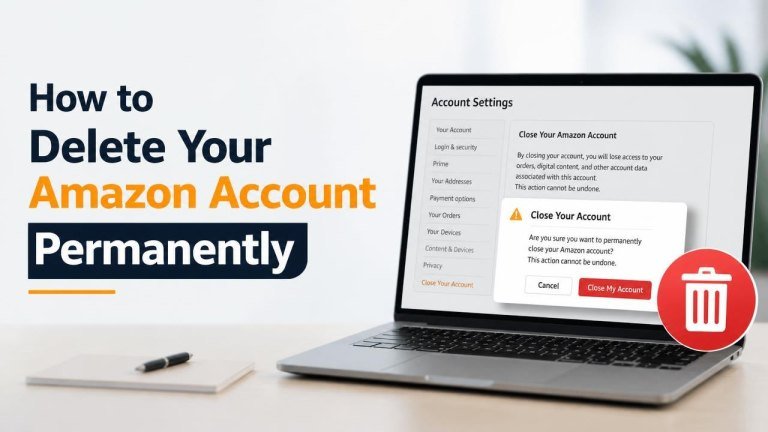
Deleting an Amazon account is a permanent decision. Once Amazon completes the closure, you may lose access to your order history, digital content, and other services connected to the account. Before you begin, review the consequences carefully and save anything you may need later, just as you should before you delete a Reddit account without losing posts.
What to know before deleting your Amazon account
Account closure can affect more than shopping. Your past orders, saved addresses, and payment information may no longer be available after deletion. Depending on the Amazon services you use, access to ebooks, videos, music, apps, subscriptions, or other content may also be affected.
Amazon may not be able to restore a closed account, so consider whether temporarily changing your settings or cancelling individual services would solve your problem instead.
How to delete your Amazon account permanently
The most reliable way to request deletion is through Amazon’s official account closure and privacy process. The exact page layout may vary by country or region, but the general steps are similar:

- Sign in to the Amazon account you want to close.
- Open Amazon’s account closure page or privacy request center for your region.
- Review the services and information associated with the account.
- Select the reason for your request, if Amazon asks you to provide one.
- Choose the option to permanently close or delete the account.
- Read the warnings carefully, then submit the request.
- Complete any identity verification or confirmation step Amazon provides.
Use only official Amazon pages and check the address in your browser before entering your password or personal information. If you cannot sign in, use Amazon’s official customer service or account recovery options rather than relying on an unverified third-party link.
What to do before submitting the deletion request
A short preparation checklist can prevent the loss of information you still need. Download or record your receipts, review active subscriptions, and make copies of important account details before requesting closure.
Save important order and account information
Check your order history for invoices, warranty details, return information, and tracking records. Save any documents you may need for refunds, returns, or tax purposes. Also review your account for addresses, payment details, and contact information that you may want to retain elsewhere.
Cancel subscriptions and check digital purchases
Review services such as recurring memberships, channels, apps, ebooks, videos, and music. Cancel unwanted recurring charges and confirm what will happen to your digital library before closing the account. If you use a service through a separate provider, check whether it requires a separate cancellation.

Use or review balances and pending activity
Check for remaining gift card balances, pending orders, refunds, disputes, or open customer service cases. Resolve urgent issues first, because account closure may make it harder to access related records or communicate about them later. The same precaution is useful before you delete an Uber account.
What happens after you request account deletion?
Amazon may send a confirmation message or contact you to verify the request. The account may remain accessible during part of the process, but you should not assume that access will continue. Once closure is complete, signing in may no longer work, and associated services may be unavailable.
Some information may be retained where required for legal obligations, fraud prevention, security, or legitimate business records. Account deletion therefore does not necessarily mean that every record disappears immediately or in every system.
Can you recover a deleted Amazon account?
Permanent closure should be treated as irreversible. Amazon may not restore the account, its order history, or its digital purchases after deletion. If you are uncertain, consider securing the account, removing saved payment methods, cancelling subscriptions, or contacting support before submitting a permanent request. Similar considerations apply when you delete a Google account permanently.
Alternatives to permanently deleting your account
If your main concern is privacy or unwanted charges, full deletion may not be necessary. You can instead remove saved cards, delete unused addresses, change your password, enable available security controls, or cancel individual subscriptions.
You can also review communication preferences and privacy settings. These options may address the immediate problem while preserving access to receipts, warranties, and other account records.
Final checklist for closing your Amazon account
- Save important receipts and order records.
- Cancel subscriptions and recurring services.
- Review digital purchases and remaining balances.
- Resolve pending refunds, returns, and support cases.
- Use Amazon’s official privacy or account closure process.
- Keep the confirmation of your request for your records.
After completing these checks, submit the closure request through Amazon’s official website. Take your time before confirming: permanent account deletion can affect shopping access, digital content, subscriptions, and records connected to your account.