Deleting a DoorDash account is usually straightforward, but it is worth preparing first. Before you close the account, review active orders, subscriptions, payment methods, credits, and any personal information you may want to keep for your records, much as you would when deleting an online account.
Before You Delete Your DoorDash Account
Take a moment to check for active orders, DashPass billing, and account credits before starting. Resolve open delivery issues and save any receipts or order details you may need later, because access to your account history may change after deletion, as with deleting a payment account.
- Confirm that all orders are complete.
- Review and cancel any active DashPass membership if necessary.
- Remove saved payment methods and addresses when the available settings allow it.
- Download or save important receipts and transaction records.
- Make sure you are deleting the correct DoorDash account.
How to Delete a DoorDash Account
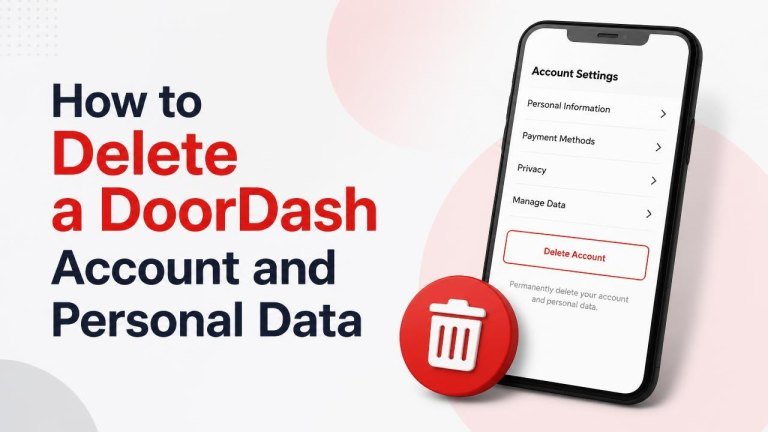
You can generally begin the process through DoorDash account settings or the company’s privacy and account-management tools. Look for an option such as Account, Privacy, or Delete account. The exact wording and location may vary between the app and website.
Delete Your Account Through the DoorDash Website
Sign in to DoorDash using a web browser, open your account settings, and look for the privacy or account-management section. Select the option to delete your account, review the information shown, and follow the verification steps. You may need to confirm your identity before the request can be submitted.

- Open the DoorDash website and sign in.
- Go to your profile or account settings.
- Open the privacy, security, or account-management area.
- Choose the account deletion option.
- Complete any requested verification and confirm the request.
Delete Your Account Through the Mobile App
In the DoorDash app, open your profile menu and review the available settings and privacy controls. If account deletion is available there, follow the on-screen instructions. If you cannot find the option, use the website or contact DoorDash through its official support or privacy channel.
How to Request Deletion of Your Personal Data
Account deletion and a personal-data request are related but may not be identical. If your goal is to remove information held by DoorDash, submit a request through the company’s official privacy request form, data rights process, or another listed privacy contact method. Clearly explain that you want your personal data deleted and include the account details needed to identify you.
Do not send unnecessary sensitive information in an email or support message. Use only the company’s official website or app, and provide information solely for identity verification and request processing.
What May Happen After You Submit the Request
DoorDash may send a confirmation message or ask you to verify the request. Keep the confirmation email or request reference until the process is complete. Some information may be retained where required for legal, security, fraud-prevention, or transaction-record purposes, so deletion may not mean that every record disappears immediately or absolutely.

Processing times and available options can depend on your location, account status, and the type of request. Review the response carefully if DoorDash explains that some information must be retained.
How to Protect Your Information Before Closing the Account
Before submitting deletion, remove information that is not needed for the request. Check your saved addresses, payment details, and contact information. Also sign out of DoorDash on shared devices and remove saved login credentials from your browser or password manager if you no longer want them stored.
- Remove saved cards or other payment methods where possible.
- Delete unused delivery addresses.
- Sign out of all devices you no longer use.
- Review connected services or promotional communications.
- Keep documentation of the deletion request without retaining unnecessary personal data.
What to Do If You Cannot Delete the Account
If the deletion option is unavailable, check whether you have an open order, an unresolved account issue, or an active subscription. Update the app, try the website, and contact official DoorDash support. For a personal-data request, use the company’s privacy channel rather than relying only on general delivery support.
When contacting support, include the email address or phone number associated with the account, describe the request clearly, and ask for confirmation. Avoid creating duplicate requests, since multiple submissions can make follow-up more difficult.
Frequently Asked Questions
Can I recover a deleted DoorDash account?
Do not assume that a deleted account can be restored. Save important receipts, order details, and other records before submitting the request, and contact official support if you need clarification about your specific account.
Does deleting the app delete my account?
No. Removing the app from your phone only removes the mobile application; it does not normally submit an account deletion request or erase information stored by DoorDash. Use the account or privacy controls instead.
Will deleting my account stop all charges?
Account deletion is not a substitute for checking subscriptions, pending transactions, and billing records. Review and cancel any applicable membership or recurring service before closing the account, similar to stopping recurring billing, then monitor your payment account for expected pending activity.
Final Checklist
Before you finish, confirm that you have reviewed subscriptions, saved important records, and submitted the correct privacy or deletion request. Keep the confirmation until DoorDash has completed the process, and contact the company through official channels if the result is unclear.