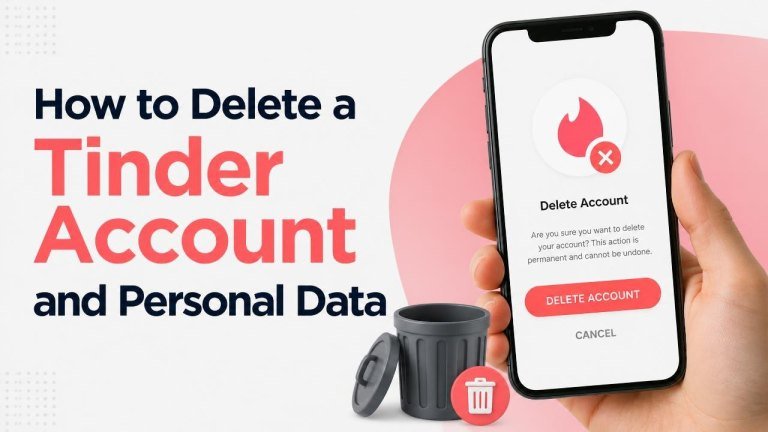
Deleting the Tinder app from your phone does not delete your account. If you want to leave an account permanently, you need to close your account through the app or website and take a few additional steps to manage subscriptions and personal data.
Before You Delete Your Tinder Account
Before starting, review your matches, messages, and subscription status. Account deletion is generally permanent, so save anything you may need and confirm that you are signed in to the correct Tinder account.
If you have Tinder Plus, Gold, or another paid plan, check whether the subscription is billed through the Apple App Store, Google Play, or Tinder directly. Deleting your account may not automatically cancel a subscription, so cancellation should be handled separately.
How to Delete a Tinder Account in the App
You can usually delete your account from Tinder’s settings. The labels may vary slightly depending on your device and app version, but the general process is as follows:

- Open Tinder and sign in.
- Tap your profile icon to open your profile.
- Open Settings.
- Scroll down and select Delete Account.
- Choose a reason if Tinder asks for one.
- Confirm that you want to permanently delete the account.
Do not select “Pause My Account” if you want to leave Tinder completely. Pausing can hide your profile while keeping the account and its associated information available.
How to Delete Tinder from a Web Browser
If you use Tinder on the web, sign in through the official Tinder website and open your profile settings. Look for the Delete Account option, follow the confirmation steps, and complete any verification Tinder requests.
After deletion, avoid signing back in or creating a new account with the same details unless you intend to use Tinder again. Keeping a confirmation screen or email can help you document the request.
How to Cancel a Tinder Subscription
Account deletion and subscription cancellation are separate tasks. Cancel your plan through the same provider that processed the payment, paying attention to the renewal date and billing provider.
Subscriptions Billed by Apple
On an iPhone or iPad, open your Apple account’s Subscriptions area, select Tinder, and choose the cancellation option. Deleting the Tinder app or account does not replace this Apple subscription step.
Subscriptions Billed by Google Play
On Android, open Google Play, go to your account’s Payments and subscriptions section, select Tinder, and cancel the plan. Confirm that the subscription shows a cancellation status rather than an upcoming renewal.

Subscriptions Billed Directly by Tinder
If Tinder charged you directly, sign in to the relevant Tinder account and review the payment settings or account billing area. If you cannot find the option, contact Tinder Support and include your account details without sending unnecessary sensitive information.
How to Request Deletion of Personal Data
Deleting an account and deleting personal data are related but may not be identical. Tinder may retain some information when required for legal obligations, security purposes, fraud prevention, dispute resolution, or other legitimate business needs.
To request information about your data or ask for deletion, use Tinder’s official privacy or help center. Look for a data request form, privacy contact method, or account-management option. Be prepared to verify your identity so Tinder can protect the account holder’s information.
Your request may cover profile information, account activity, messages, technical data, and other records associated with your account. Read the response carefully because it may explain what was deleted, what must be retained, and how long processing may take.
What Happens After Account Deletion?
Once the deletion process is completed, your profile should no longer be active for normal discovery, and access to matches and messages may be lost. Deletion does not necessarily erase information from another person’s device, screenshots, backups, or independent records.
Some information may remain for a limited period in backup systems or be retained to meet legal and security requirements. Tinder’s current privacy documentation is the best source for the details that apply to your account and location.
Privacy Steps to Take Before Leaving Tinder
- Remove unnecessary details from your profile, such as a workplace, school, or external contact information.
- Review connected services and revoke access where appropriate.
- Take note of important billing records before deleting the account.
- Remove Tinder from devices you no longer use and clear saved login information.
- Use a secure email account when contacting support about personal data.
If You Cannot Access Your Tinder Account
If you lost access to the phone number, email address, or sign-in method connected to Tinder, visit the official help center and choose the account-access option. Provide only the minimum information needed to verify ownership.
If you suspect unauthorized access, change the password for any connected account, secure your email, and contact Tinder Support. Do not share verification codes with anyone claiming to be a support representative outside official channels.
Deleting the App Is Not Enough
Removing Tinder from your phone only removes the application. Your account, profile, and possibly your subscription can remain active unless you complete the appropriate deletion and cancellation steps.
For a thorough exit, delete an account and personal data in Tinder, cancel any paid plan through its billing provider, and submit a privacy request if you want further information about the personal data Tinder holds.