Whether you are taking a break from dating or leaving Bumble permanently, it is important to handle your account and subscription separately. Deleting the app does not necessarily delete your profile, and removing your account may not automatically cancel Bumble Premium.
Before You Delete Your Bumble Account
Before taking action, check your subscription status, review any remaining benefits, and decide whether you want a temporary break or permanent deletion. If you may return later, using Bumble’s snooze or similar pause option may be more suitable than deleting your account.
Also consider saving anything you need from your account first. Once your profile is deleted, access to your matches, conversations, and account information may not be available.
How to Cancel Bumble Premium
Cancel Bumble Premium through the same platform where you originally purchased it. This is usually the Apple App Store, Google Play Store, or Bumble’s own website.
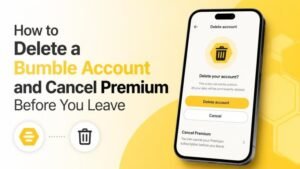
Cancel Bumble Premium on an iPhone
On an iPhone or iPad, open your device’s Settings, tap your Apple Account, and select Subscriptions. Find Bumble, choose the subscription, and follow the cancellation instructions.
After canceling, check the subscription page for confirmation. You may retain access until the end of the current billing period, depending on Apple’s subscription terms.
Cancel Bumble Premium on Android
On Android, open the Google Play Store, tap your profile icon, and go to Payments & subscriptions. Select Bumble, open the subscription details, and tap the cancellation option.
Confirm that the subscription shows as canceled. Uninstalling Bumble alone does not cancel a Google Play subscription.
Cancel a Bumble Subscription Purchased Online
If you subscribed through Bumble’s website, sign in to your Bumble account using a browser. Open your payment settings or subscription management area, then follow the steps to turn off renewal.
Keep the cancellation confirmation or take a screenshot for your records. If you cannot find the relevant setting, contact Bumble Support through the official help center.
How to Delete Your Bumble Account
Once Premium is canceled, you can delete your Bumble account from the app. Open Bumble and go to your profile page, then open Settings and scroll until you find the Delete account option.
Follow the on-screen instructions. Bumble may ask why you are leaving or request confirmation before completing the deletion. Read each prompt carefully, because deleting an account is different from simply logging out.
What Happens When You Delete Bumble?
Account deletion generally removes your profile from Bumble and ends your ability to use that account. Your profile visibility, matches, and messages may no longer be available after deletion.
Deleting your account does not always stop an active subscription. That is why you should cancel Premium through the relevant Apple, Google, or Bumble billing account before deleting your profile.
Common Problems and How to Fix Them
If you cannot see a cancellation option, verify that you are signed into the correct Apple ID, Google Account, or Bumble login. Subscriptions are managed by the platform used for purchase, not necessarily by the device where you currently use Bumble.
If you are still being charged after cancellation, check your cancellation confirmation and billing history. Then contact the relevant platform or Bumble Support with your receipt, account email, and transaction details. Avoid sharing your password or full payment information.
Quick Checklist
- Check where your Bumble Premium subscription was purchased.
- Cancel automatic renewal through Apple, Google, or Bumble.
- Save your confirmation and review the billing status.
- Delete your Bumble account from the app’s Settings.
- Uninstall the app only after completing the steps above.
Final Thoughts
The safest approach is to cancel Premium first and delete your account second. This separates your billing settings from your profile and reduces the risk of an unwanted renewal. Take a moment to confirm both actions before removing the app from your device.