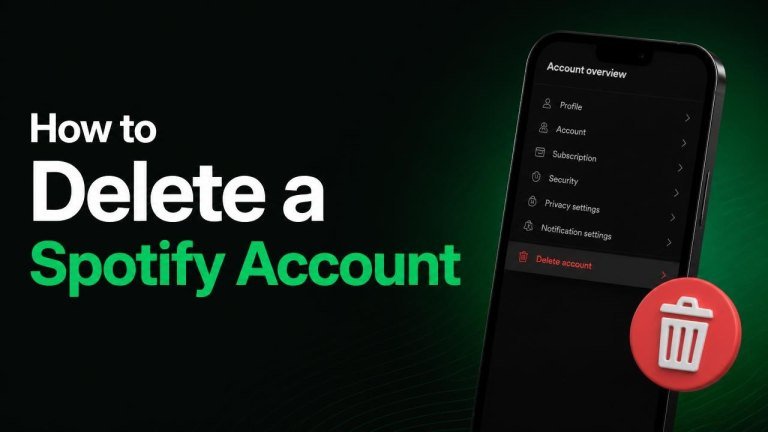
Deleting a Spotify account is straightforward, but the process can affect your playlists, saved music, followers, listening history, and other account data. If you have a paid subscription, you may also need to cancel Premium separately before closing the account.
Before deleting your Spotify account
Take a moment to review your account before choosing permanent deletion. Save any important playlists, check your subscription status, and confirm that you are signed in to the correct Spotify account. Account deletion is different from uninstalling the app, logging out, or canceling Premium.
If you want to keep using Spotify without paying, cancel Premium and continue with the free plan instead of deleting the account. If you want to stop using Spotify completely, deletion is the more permanent option.
Cancel Spotify Premium first
Canceling Premium and deleting your account are separate actions. Before closing your account, review your billing details, cancel any active Premium plan, and check the confirmation message or email you receive.

You can usually manage a direct Spotify subscription from your account page:
- Sign in to Spotify in a web browser.
- Open your account or profile settings.
- Go to the plan or subscription section.
- Choose the option to cancel Premium and follow the prompts.
If you subscribed through Apple, Google, a mobile provider, or another partner, you may need to cancel through that provider. Check who manages your billing before deleting the account.
How to delete a Spotify account
Spotify’s account closure process is generally completed through its online support and account pages rather than from the mobile app. Use a browser and have your login credentials, account email address, and deletion decision ready.
Close a free Spotify account
For a free account, open Spotify’s support area and look for the account closure or account deletion option. After signing in, choose the relevant account closure request, review the deletion consequences, and confirm that you want to close the account.
Spotify may send a confirmation link to your email address. Open that message and select the confirmation option to complete the request. If you do not see the email, check your spam or junk folder and make sure you are checking the inbox linked to the right account.
Close a Spotify Premium account
If you have Premium, first make sure your subscription is canceled or identify the company handling your billing. Then use Spotify’s support account-closure instructions and complete the identity verification, closure confirmation, and any email verification steps shown on screen.
Do not assume that uninstalling Spotify or canceling Premium deletes your account. Those actions may stop app access or recurring billing, but your profile and account data can remain active until you complete the separate process of deleting your account.
What happens after account deletion?
Closing an account can remove or disable access to playlists and saved music, followers and profile information, and listening-related account data. You may also lose access to benefits connected to the account, so confirm that you no longer need them before submitting the request.
Spotify may provide a limited opportunity to restore an account after you request deletion. If you change your mind, follow the instructions in Spotify’s confirmation email promptly. After the applicable restoration period ends, the account may be permanently unavailable.
If you cannot delete your Spotify account
Start by signing in through a web browser and checking whether you are using the correct email address or login method. Accounts created with Apple or Google sign-in, a different email address, or an older login may not be the account you intended to close.
If the closure option is unavailable, contact Spotify Support through its official help channels. Include only the information needed to verify ownership, and avoid sending your password or other sensitive security details.
Frequently asked questions
Can I delete my Spotify account from the app?
Account closure is usually handled through Spotify’s web-based support pages rather than the mobile app. If you cannot find a deletion option in the app, sign in through a browser and open Spotify’s official account-support area.
Does canceling Premium delete my account?
No. Canceling Premium normally changes your plan, while deleting your account is a separate request. You can keep a free Spotify account after canceling Premium, or complete the account deletion process if you want your account closed.
Can I reuse the same email address later?
Do not assume that a deleted account’s email address can be reused immediately. Spotify’s handling of deleted accounts and sign-up details can vary, so check the official confirmation message and support guidance before creating a new account.
Final checklist
Before you finish, confirm that you have canceled recurring billing, saved any playlists you want to keep, and completed the email confirmation step. Once the account is permanently deleted, recovering its content may not be possible.