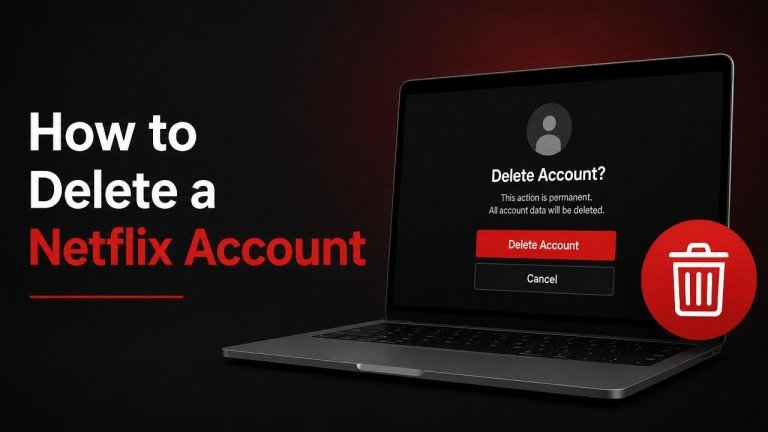
Deleting Netflix can mean two different things: canceling your membership so you stop being billed, or requesting permanent account deletion. These steps are related, but they are not always the same. Follow the instructions below to close your subscription and remove your account as thoroughly as possible.
Cancel Your Netflix Membership First
Before requesting deletion, cancel the subscription connected to your account. This stops future membership charges, although you can usually continue watching until the end of your current billing period. Your billing status, subscription access, and payment arrangement may affect the exact steps.
- Sign in to Netflix from a web browser.
- Open your profile menu and select Account.
- Find the membership or billing section and choose Cancel Membership.
- Follow the on-screen prompts to confirm the cancellation.
- Save the confirmation email or take a screenshot for your records.
If you do not see a cancellation option, your subscription may be billed through a third party. In that case, cancel Netflix through the relevant provider, such as your mobile carrier, app store, or internet service provider. Netflix can show where the subscription is managed, but the third party may control the actual cancellation.
Request Permanent Deletion of Your Netflix Account
Canceling your membership does not necessarily erase the account immediately. To ask Netflix to remove your personal information sooner, contact Netflix through its official support or privacy-request channel. Include the email address on the account, your deletion request, and any information needed to verify that you own the account.

Use only official Netflix contact options found through the Netflix Help Center or the privacy information linked from Netflix. Do not send passwords, payment-card numbers, or other unnecessary sensitive information in an email or support message. Netflix may need to verify your identity before processing the request, and some information may need to be retained where required by law or for legitimate business purposes.
What to Include in Your Request
A clear request can help support identify the correct account. Mention the account email address, request for account deletion, and preferred contact method. If you have more than one Netflix account, identify each account separately and avoid sharing unnecessary personal details.
- The email address associated with Netflix
- A direct statement asking for permanent account and personal-data deletion
- Confirmation that you have canceled any active membership
- Any requested verification information, provided through Netflix’s official channel
Remove Netflix From Your Devices
Account deletion is separate from removing the app. After canceling or submitting a deletion request, sign out of Netflix on shared devices and uninstall the app where appropriate. This helps remove saved sessions, downloaded titles, and device access from equipment you no longer use.
- Sign out of Netflix on televisions, streaming players, game consoles, phones, and tablets.
- Remove downloaded content from mobile devices.
- Uninstall the Netflix app if you no longer want it installed.
- Change your email password if you suspect someone else has accessed the account.
Check for Third-Party Billing
If Netflix does not display a normal cancellation button, check how the membership is billed. A subscription managed by Apple, Google, a mobile carrier, or another partner must usually be canceled through that provider. Confirm the billing provider, cancellation confirmation, and next charge date before considering the process complete.
Review your email receipts and bank statements if you are unsure who bills you. Canceling an unrelated streaming service or deleting the Netflix app will not stop a subscription that remains active through a third party.
What Happens After You Delete Netflix?
Once Netflix processes your request, you may lose access to your profiles, watch history, and saved preferences. Any remaining membership access can also end according to the account’s billing and cancellation status. Keep copies of important receipts or support correspondence before the account is removed.
If you later want Netflix again, you may need to create a new account rather than restore the deleted one. Account availability, retained information, and reactivation options can depend on Netflix’s current policies and applicable privacy requirements.
Quick Checklist Before You Leave Netflix
Use this checklist to confirm that you have completed the important steps: cancel the subscription, request deletion, and sign out of devices.
- Cancel the membership through Netflix or the third-party billing provider.
- Save the cancellation confirmation.
- Contact Netflix through an official privacy or support channel if you want earlier deletion.
- Sign out on shared and personal devices.
- Remove the app and downloaded content where necessary.
- Check for a final charge or billing confirmation.
Frequently Asked Questions
Does canceling Netflix delete the account immediately?
Usually, cancellation and deletion are separate actions. Membership cancellation stops future billing, while account deletion requires the account to be removed under Netflix’s applicable process. Contact Netflix directly if you want to request earlier deletion.
Can I delete Netflix from the app?
You can often manage your membership from a browser more easily than from a television app. If the app does not show a cancellation option, use the Netflix website or check the third-party billing provider connected to your subscription.
Will deleting the app cancel my subscription?
No. Uninstalling the app only removes the software from your device. It does not cancel recurring billing, remove the Netflix account, or end your membership. Cancel the subscription separately and keep the confirmation.