Deleting a Venmo account is a straightforward process, but it is worth completing a few checks first. You should move any remaining money, resolve pending activity, and save information you may need later. Once the account is closed, access to its history and features may be limited, much like when deleting a PayPal account.
Before You Delete Your Venmo Account
Take a moment to review your account before closing it. Check your current balance, pending transactions, and linked payment methods so you do not leave anything unfinished.
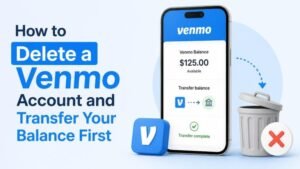
- Transfer any remaining Venmo balance to your bank account or eligible debit card.
- Wait for pending payments, transfers, or disputes to finish.
- Save receipts, transaction details, or statements you may need for your records.
- Cancel or review any recurring payments connected to your Venmo account.
- Make sure you can access the email address and phone number associated with the account.
How to Delete a Venmo Account in the App
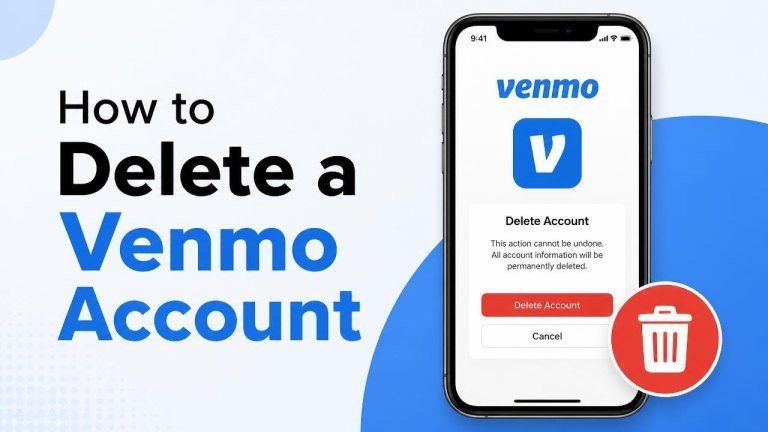
Venmo may provide account-management options through its mobile app, although menu names and layouts can change. Look for Settings, Account, or Close Account options in your profile menu.
- Open the Venmo app and sign in.
- Open your profile or menu and select Settings.
- Choose the account or privacy section, then look for an option to close or delete the account.
- Review the instructions and confirm that your balance and pending activity have been handled.
- Complete any identity or security confirmation requested by Venmo.
If you cannot find the deletion option, use Venmo’s official Help Center or contact support through the app. Avoid using links from unsolicited messages or unofficial websites.
How to Delete a Venmo Account on the Website
You can also check your account settings after signing in through Venmo’s official website. The available option may appear under profile settings, privacy controls, or account management.
- Visit the official Venmo website and sign in securely.
- Open your account settings.
- Find the option related to closing or deleting your account.
- Read the on-screen information about account closure and data retention.
- Confirm the request if you are ready to proceed.
Only enter your login details on the official Venmo website. If the option is unavailable, contact official support for the correct account-closure process.
What to Do If You Cannot Delete the Account
An account may not be eligible for immediate closure if it has an unresolved balance, pending activity, or an open support issue. Resolve the remaining balance, pending payments, and unresolved disputes before trying again.
If you still cannot close the account, contact Venmo support and explain the problem. Be prepared to verify your identity, but do not share your password, full security codes, or other sensitive information outside an official support channel.
After Closing Your Venmo Account
After you submit the closure request, sign out of Venmo on your devices and remove the app if you no longer need it. Also review connected services and remove Venmo as a payment option where appropriate. Keep any saved records, confirmation messages, and support correspondence in a secure location.
Closing an account does not necessarily erase every record associated with it. Financial services may retain certain information for legal, security, or compliance reasons. For questions about personal data, review Venmo’s current privacy information or contact support.
Can You Reopen a Deleted Venmo Account?
Do not assume that a closed account can be restored. Account availability and reactivation rules can change, so check Venmo’s current guidance before deleting the account if you might want to use the service again. Consider downloading important records, moving recurring payments, and confirming your final balance first.
Frequently Asked Questions
Does deleting Venmo cancel my bank account?
No. Closing Venmo does not close your bank account, debit card, or credit card. It only affects your Venmo account and its connection to those payment methods. Review linked accounts, automatic payments, and Shop Pay account settings before completing the process.
Can I delete Venmo if money is still in my balance?
You should transfer or otherwise resolve the remaining balance before requesting closure. A zero balance, completed transfers, and no pending transactions can help prevent delays, as with a CashCrate account balance.
What if I forgot my Venmo password?
Use Venmo’s official password-recovery process before attempting to close the account. If you cannot regain access, contact official support and request help with identity verification, account access, and account closure.
Final Checklist
Before deleting your Venmo account, confirm that you have completed these steps:
- Transfer any remaining balance.
- Resolve pending payments, disputes, and transfers.
- Save statements and transaction records.
- Review recurring payments and connected services.
- Confirm the closure through an official Venmo channel.
Taking these precautions makes the process smoother and reduces the chance of losing access to information you may need later.