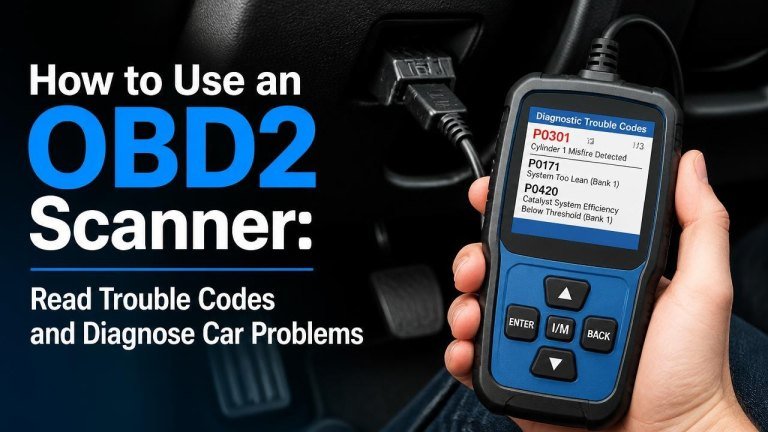
An OBD2 scanner can help you understand why your vehicle’s check engine light is on and provide useful clues about many electronic and emissions-related problems. Used correctly, it can turn an unfamiliar warning light into a practical starting point to diagnose a car that won’t start.
What an OBD2 Scanner Does
An OBD2 scanner communicates with your car’s onboard computer to retrieve diagnostic trouble codes, display live sensor data, and show information about the vehicle’s emissions system. It does not automatically identify every failed part, but it can narrow the problem and guide your next steps.
Most scanners can also show whether the vehicle is ready for emissions testing, display stored and pending codes, and clear the check engine light after repairs. Clearing a code without fixing the underlying fault, however, only hides the warning temporarily.
Before You Connect the Scanner
Park safely on a level surface, switch off the engine, and engage the parking brake. Locate the vehicle’s OBD2 diagnostic port, gather the vehicle owner’s manual, and check that the scanner has adequate power or a charged battery.
The port is usually beneath the dashboard near the steering column, although its exact position varies. Never force the connector into place. If it does not fit easily, confirm that you have found the correct socket and that the connector is oriented properly.
How to Use an OBD2 Scanner Step by Step
Follow the scanner’s instructions and allow the tool to establish a stable connection with the vehicle. Keep the ignition in the required position, record the original trouble codes, and avoid disconnecting the tool while it is communicating.
1. Locate and Connect to the OBD2 Port
With the ignition off, plug the scanner into the diagnostic port. Make sure the connector is fully seated and that the cable will not interfere with the pedals. A secure connection prevents communication errors and protects the diagnostic connector from unnecessary strain.
2. Turn on the Ignition
Turn the key to the on position without starting the engine, unless your scanner specifically instructs you otherwise. On a push-button vehicle, this may require pressing the button without pressing the brake pedal. The dashboard should illuminate, and the scanner should receive vehicle power and begin identifying the vehicle control system.
3. Select Read Codes
Choose the option labeled “Read Codes,” “Scan,” or something similar. Save or photograph every result before clearing anything. Pay attention to whether a code is listed as stored, pending, or permanent, because those categories provide different clues about when and how the fault was detected.
4. Record Freeze-Frame Data
If available, review the freeze-frame information linked to the code. It may show engine speed, coolant temperature, vehicle speed, and load when the fault occurred. This operating snapshot can reveal whether the issue appeared during a cold start, acceleration, cruising, or another condition.
5. Review Live Data
Live data lets you observe sensor readings while the engine runs. Compare readings with the scanner’s specifications or a trusted repair manual rather than judging a number in isolation. Useful information may include oxygen sensor activity, fuel-trim values, engine temperature, and airflow.
How to Understand OBD2 Trouble Codes
Most codes begin with a letter. P codes relate to the powertrain, including the engine and transmission; B codes concern the body; C codes relate to the chassis; and U codes concern network communication. The remaining characters identify the system and the specific fault category.
A code is a diagnostic clue, not a guaranteed parts replacement instruction. For example, an oxygen sensor-related code may result from a wiring problem, an exhaust leak, an air-fuel issue, or a failing sensor. Confirm the cause with additional testing before buying parts.
Common Problems an OBD2 Scanner Can Help Diagnose
A scanner is especially useful when combined with a visual inspection and basic mechanical checks. It can help investigate misfire conditions, fuel-system problems, and rough idle causes, but it cannot replace proper testing of mechanical components.
- Misfire codes: Inspect spark plugs, ignition coils, injectors, intake leaks, and engine compression as appropriate.
- Lean or rich mixture codes: Check for vacuum leaks, restricted fuel delivery, exhaust leaks, and inaccurate airflow or oxygen readings.
- Evaporative emissions codes: Inspect the fuel cap, vapor hoses, purge valve, and other EVAP components.
- Coolant temperature codes: Check the sensor, wiring, coolant level, thermostat operation, and actual engine temperature.
- Transmission codes: Review fluid condition, wiring, solenoids, and manufacturer-specific diagnostic procedures.
What to Do After Reading a Code
Start with the simplest possibilities: inspect connectors, wiring, hoses, fuses, fluid levels, and recent repair work. Look for loose connections, damaged wiring, or visible leaks before replacing a component. Then use a repair manual or service information to identify the recommended tests.
If the problem is repaired, drive the vehicle normally and rescan it when appropriate. A code may return immediately, after several drive cycles, or only under the conditions that originally triggered it.
Should You Clear the Check Engine Light?
Clear codes only after recording them and completing repairs. Resetting the system erases valuable diagnostic history and may reset the vehicle’s readiness monitors. If the fault remains, the warning light will usually return, and the vehicle may continue to run poorly or produce excess emissions.
If the light is flashing, reduce driving and seek professional help promptly. A flashing warning can indicate an active condition that may damage the catalytic converter or create a drivability and safety concern.
When to See a Professional Mechanic
Get professional assistance when the vehicle has severe symptoms, multiple communication codes, unusual noises, overheating, low oil pressure warnings, or a recurring fault that basic checks do not explain. A mechanic may use factory-level scan tools, wiring diagrams, pressure tests, and specialized equipment to confirm the diagnosis.
Do not rely on a scanner alone if the vehicle has brake problems checked, steering, fuel, or high-voltage system problems. A code reader is valuable for information, but safe repairs require the right diagnostic procedure and appropriate technical knowledge.
Tips for More Accurate OBD2 Diagnosis
Use a scanner from a reputable manufacturer, keep the vehicle battery adequately charged, and update the tool when updates are available. Always verify code definitions for the specific vehicle because manufacturer-specific meanings can differ from generic descriptions.
- Record codes before clearing them.
- Check whether the code is current, pending, or permanent.
- Inspect wiring and connectors before replacing sensors.
- Use live data to support, not replace, physical testing.
- Address safety-related symptoms before continuing to drive.
Final Thoughts
Learning to use an OBD2 scanner gives you a clearer starting point when a warning light appears. Focus on understanding the code, confirming the cause, and making a safe repair rather than simply deleting the warning. With careful records, basic inspection, and reliable service information, an OBD2 scanner can make vehicle diagnosis more efficient and less intimidating.